📢 Disclosure: Some links on this page are affiliate links. As an Amazon Associate, I earn from qualifying purchases at no extra cost to you. Thanks for your support.
Nowadays, we can spend an enormous amount of time sitting at our desks. It doesn’t matter if that’s for a remote professional grinding through spreadsheets, a creative editor scrubbing through timelines, or a full-time streamer engaging with a live chat, your desk chair is arguably the most critical piece of tech in a room. Yet, it’s often the most overlooked. People easily spend significant amounts on high-end graphic cards or professional-grade setups, but often neglect their comfort by opting for a cheap, unsupportive chair to get through a long workday. I was guilty of it myself, so I know the importance of making your workspace comfortable.
Let’s jump straight into our list and find out what actually makes a chair comfortable, how varying desk habits require different seating styles, and how our top ergonomic chair picks fit into your daily grind without requiring a premium executive budget.
Over the last few years, there seems to have been a cultural shift of office equipment moving towards ergonomic practicality and comfort. And that’s no longer only reserved for corporate boardrooms or niche medical clinics, specialized gear like dynamic seating, premium peripherals, and space-saving layouts have taken over home offices worldwide. If you’re working out of a tight apartment, optimizing your workflow with specialized office desk accessories can be a great starting point. But, if you want to target one of the main, if not most, important factors in office comfort, we think finding the right chair remains the absolute foundation of health and productivity.
What Makes a Chair Comfortable for Office Use?
True ergonomic comfort isn’t about initial plushness. A cheap chair with thick, soft pillow-top cushioning might feel like a cloud for a short time initially, but after four hours, that foam can compresses. Causing discomfort for the pelvis and spine if it slumps into a “C” shape, the last thing anyone wants is back pain. So we think finding, the best computer chair for long hours means looking for genuine office comfort built on three core pillars:
- Dynamic Spine Alignment: Spines have a natural “S” curve. A comfortable ergonomic chair usually uses a dedicated lumbar support system to actively preserve that lower curve, preventing slouching and reducing pressure on the intervertebral discs.
- Weight Distribution: The seat pan must distribute body weight evenly across the thighs and buttocks. High-density, molded, or virgin foam cushions absorb pressure without bottoming out, ensuring blood circulation remains unobstructed over long periods.
- Kinetic Adjustability: No two human bodies are built identical. To remain comfortable throughout changing tasks, a chair must allow for altering its physical geometry. This includes tweaking the seat height, armrest positioning, and recline tension to match a persons personal biomechanics.
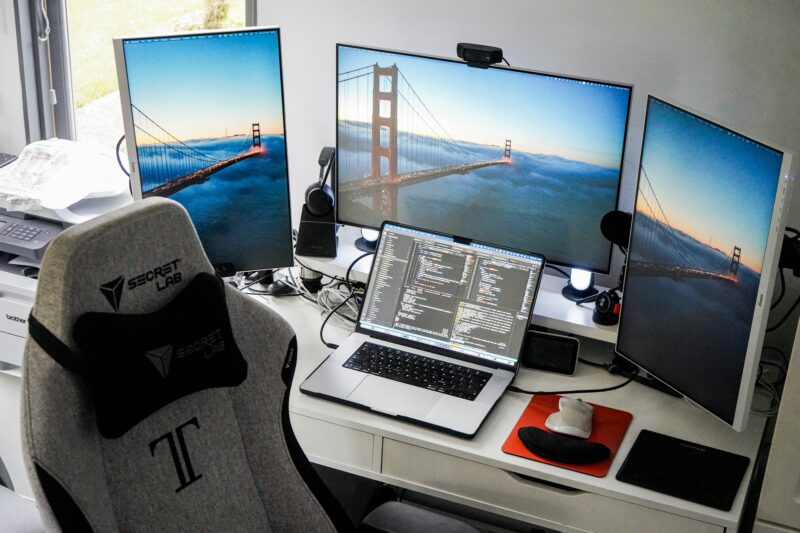
Different Chairs for Different Uses
Not everyone uses their workspace in the same manner. Matching your chair selection to your specific workflow habits is essential to getting the most out of your purchase.
- The Marathon Worker/Streamer: If you spend 8 to 12 consecutive hours at your desk, you require a heavy-duty model that functions as the best long hours office chair you can find. This means looking for high-density foam or premium mesh, integrated headrests, and dynamic movement. These setups often mirror the demanding gear found in elite creator spaces. For instance, you can look at the intense hardware choices featured in Sneako’s streaming setup to see how high-end streaming environments demand robust, long-hour durability.
- The Laptop Desk User: If you primarily work from a laptop, your posture can inherently pull forwards as your eyes track down toward a smaller screen. Laptop users benefit from chairs that offer a “forward tilt” mechanism to support active, front-leaning sitting, alongside adjustable armrests to keep wrists neutral. If you prefer working away from a traditional desk altogether, pairing your setup with one of these laptop lap desks I reviewed in a previous article can be a great option for mobile comfort, but a structured chair is still prefered for primary work blocks.
- The Hybrid Gamer: If your desk switches between corporate data entry by day and competitive gaming by night, you might require a highly flexible hybrid seat. These chairs feature wide seat pans and multi-directional armrests that accommodate a casual recline just as easily as an intense, upright posture.
Here’s our top ergonomic office chair picks:
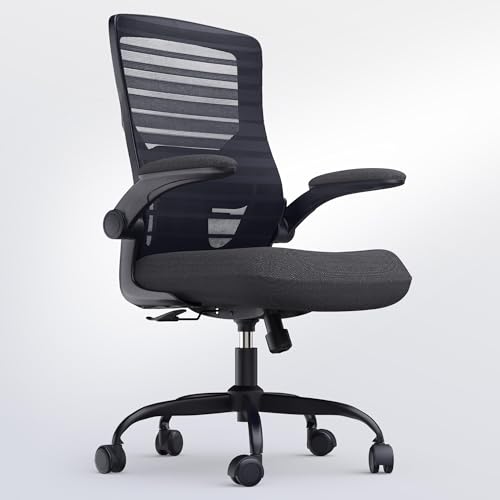
- • Ergonomic molded foam cushion
- • Padded flip-up armrests
- • Contoured mesh back with adjustable lumbar
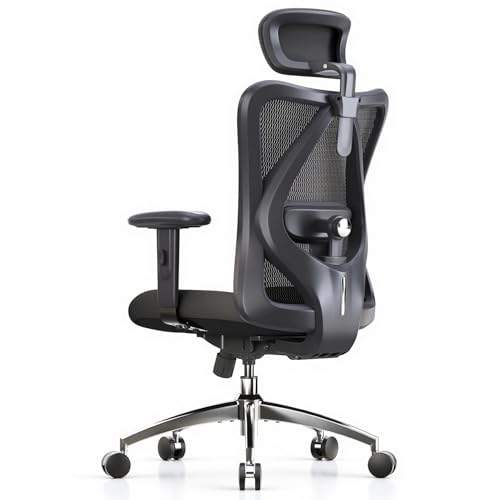
- • Adjustable headrest and lumbar support
- • 330 lbs weight capacity
- • Breathable non-pattern mesh back
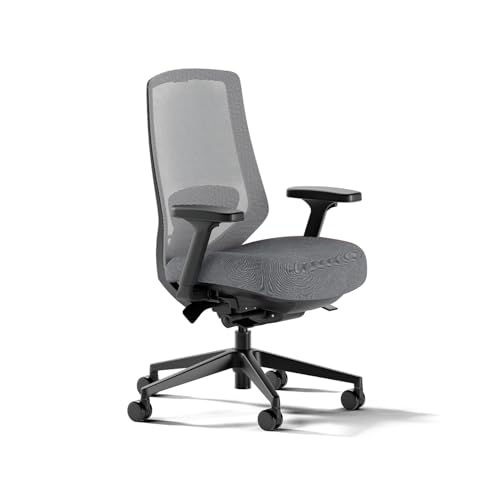
- • 14 points of custom adjustment
- • Advanced 5D adjustable armrests
- • Padded two-way lumbar support
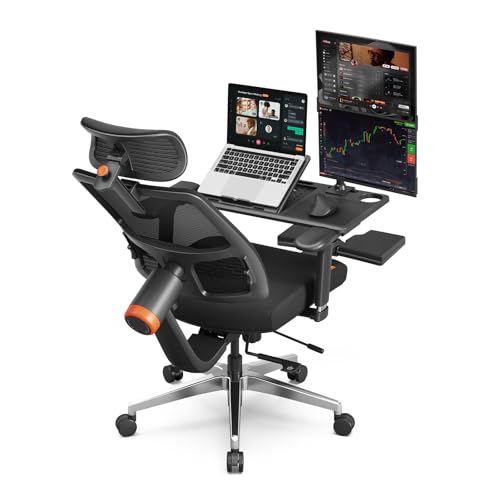
- • Patented auto-following lumbar support
- • Built-in foldable footrest
- • Added laptop tray
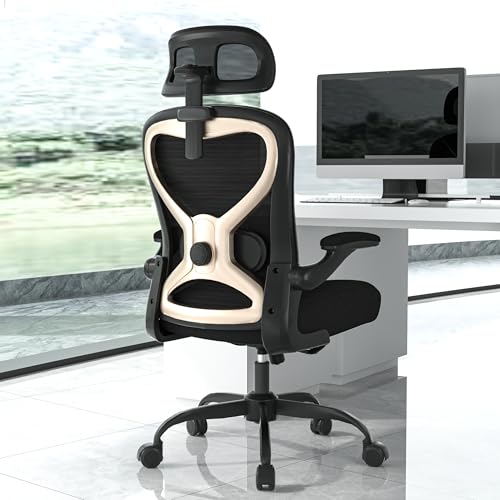
- • 3D adjustable headrest
- • 300 lbs weight capacity
- • Space-saving flip-up armrests
The Influencer Icon: Secretlab Titan Evo
If you step away from traditional corporate office ergonomics and look at what global internet stars are using, one name completely dominates the landscape is the Secretlab Titan Evo.
While gaming chairs historically received a bad reputation for favoring flashy racing designs over actual human health, Secretlab completely flipped the script with the Titan Evo. It’s quickly become an iconic fixture across gaming, lifestyle, and tech channels. It features incredibly dense, cold-cure foam that doesn’t sag easily, even over years of heavy use, alongside a proprietary magnetic memory foam neck pillow and an internal, dial-adjustable 4-way lumbar system.
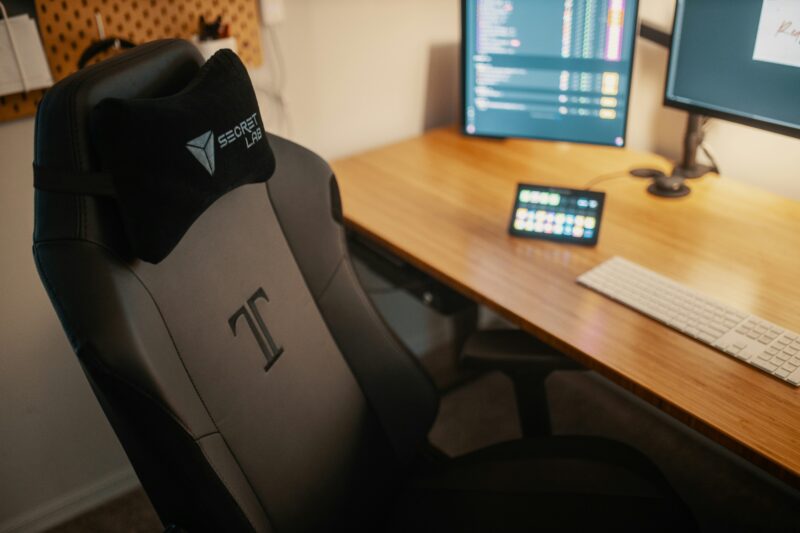
The Titan Evo is a favorite among top-tier influencers who require industrial-grade durability alongside highly the camera aesthetics. IShowSpeed often features a version of this chair in his streams. In our full breakdown of IShowSpeed’s gaming setup, we check out how he relies on a custom “The Flash” edition of the Titan Evo to survive his incredibly physical, high-octane broadcasts. If a chair is good enough for high level streamers who are at their PC for hours on end, support for a standard 9-to-5 remote job shouldn’t be a problem.
The Value Reality vs. The Luxury Standard
When discussing premium office seating, the conversation almost always points to the legendary Herman Miller x Logitech G Embody. This futuristic marvel features a matrix of dynamic pixels that conform to your micro-movements, paired with copper-infused cooling foam. It’s widely considered one of the absolute best ergonomic chairs out there.
However, it carries an exceptionally high financial barrier, which is simply unrealistic for many buyers. We intentionally left the Embody off our primary list to focus on options that deliver most of the ergonomic benefits at a much more accessible investment tier. But don’t let that stop you from checking out our review we did of Marques Brownlee’s desk setup where init, we reviewed a classic Herman Miller chair. MKBHD absolutely loves the Embody, praising its long-term durability and mentioning that he’s felt zero need to upgrade his seating setup even after years of daily use.
But, if you’re trying to map out a complete workspace while remaining fiscally conscious, identifying your exact layout requirements is key. You can utilize our interactive laptop finder quiz to help manage your device costs, freeing up more funds to invest in a high-value, ergonomic seat.
How Our Highly-Rated Picks Fit
The chairs we love in the budget to mid-tier market bring high-end ergonomic features down to accessible levels. You don’t need a corporate expense account to get features like 3D or 4D armrests, adaptive lumbar support, or custom seat depths.
For a pure value workhorse, chairs like the QLTPLUS offer incredible weight capacities alongside flip-up armrests that let you tuck the chair fully away. If AussieAntics ever needs a reliable, no-nonsense backup chair for those marathon casting and viewing parties, this heavy-duty option definitely fits the bill. The flip-up armrests are especially perfect for when he’s leaning into the monitor during intense end-game Fortnite callouts and needs no obstructions. To see how these clean, high-performance setups translate to top-tier competitive play, check out our tech breackdown of the AussieAntics streaming setup review.
If massive adjustability is something your after, options like the SIHOO M18 bring targeted four-point support (head, back, hips, and hands) with an adjustable headrest that keeps your posture in check during deep VOD reviews. For those who want premium customization without such a high price tag, the Branch Ergonomic Chair Pro steps things up with 14 points of adjustment, including a smooth forward-tilt feature and highly configurable 5D arms that let you lock in your active sitting position perfectly.
Lastly, if back and neck strain are your main enemies, chairs like the CASASIO offer an advanced 3D headrest paired with virgin foam seating to alleviate tension. And if you want something to rest your laptop on, the Newtral Ergonomic Chair features a sophisticated auto-tracking lumbar support system alongside a fold-out footrest and a laptop tray, so you can bring your office closer to you. I really like this idea and now many chairs offer the ability to rest your laptop on a tray in front of you, but this can a gamechanger if you often find yourself purching your laptop on your knees as you work. It can take that straining discomfort away and brings the laptop to a better level.
Finding More Desk Inspiration
We think ugrading an office chair is one of the investment you can make for your physical health, but it’s only one component of a truly productive workspace. If you want to see how other mega-creators construct their workflows, ranging from clean, minimalist design aesthetics to high-performance editing bays, be sure to explore our behind-the-scenes breakdown of PewDiePie’s Japan office setup.
We hope this article helped you find the best ergonomic chair for your office setup. You don’t need a luxury designer brand to protect your body; by picking a highly adjustable option that aligns with your specific daily habits, it can make a huge difference.

Combining a BSc in Computing and Business with a passion for digital productivity, Eamon A. has spent the last three years reviewing the latest tech innovations. From high-performance laptops to essential home office accessories, his in-depth comparisons focus on design and functionality, ensuring readers find the perfect tools for their setup.
Last update on 2026-06-17 / Affiliate links / Images from Amazon Product Advertising API