📢 Disclosure: Some links on this page are affiliate links. As an Amazon Associate, I earn from qualifying purchases at no extra cost to you. Thanks for your support.
BRINK Traveler VR was one of the first titles I purchased on the Meta Quest 3 headset back in 2024. Back then, it was the perfect app for those who love traveling and relaxing in nature. It completely outshone the 360-degree videos on YouTube VR available at the time because it provided more immersion, freedom of movement, and no pixelated freezing due to connection lag. I’ve explored some of the available maps in the BRINK Traveler library in a previous YouTube video. But in this article, we’re revisiting BRINK Traveler VR on the Quest 3 to check out the updated features and newer maps, and to see if it still holds its charm.
What’s New
Since my last visit, BRINK Traveler’s rolled out some fantastic updates that really push the Quest 3’s capabilities. They’ve overhauled the visuals, bringing in fully animated skies, dynamic sun flares that react to the environment, and a brand-new night mode featuring physically accurate, rotating constellations. They’ve also introduced an AI Travel Assistant that you can talk to via a virtual walkie-talkie to ask questions about your surroundings. Add in enhanced cross-platform multiplayer and smoother locomotion options, and the app feels much more alive than it did at launch.


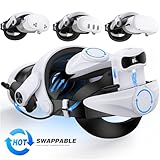
By the way, the items above are some of the most popular Quest 3 accessories right now. But if you want to dive deeper into gear like upgraded head straps, controller grips, and charging stations, be sure to check out my full guide to my personal favorite Quest 3 accessories!
New Locations
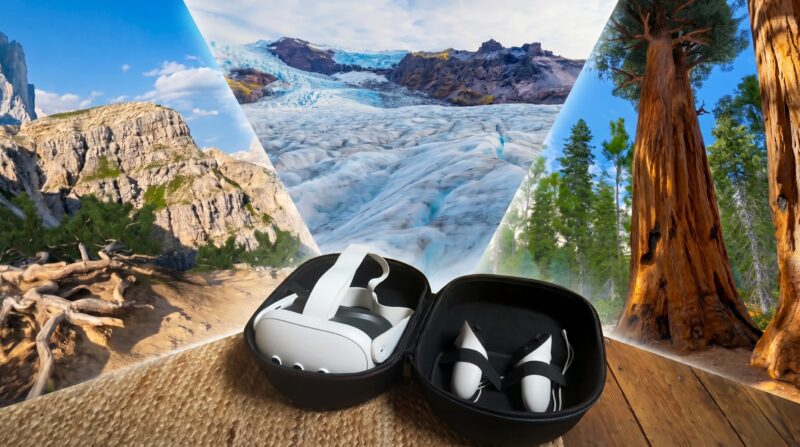
Because I hadn’t been on the app for a while, I was pleased to see several new locations added to the library. You can’t just jump into a new map before downloading it, so I immediately started the downloads for Iceland Vatnajökull, Italy Dolomites, and USA Sequoia. Some of these files can be around 1 gigabyte, so downloading multiple can take a while, especially if you’ve got a slower internet connection. Let’s take a look at them individually:
From the Lab: Latest Test.
In our video, we go through the new locations on Brink Traveler VR and check out their features and amazing scenery on the Quest 3 VR headset.
Iceland Vatnajökull
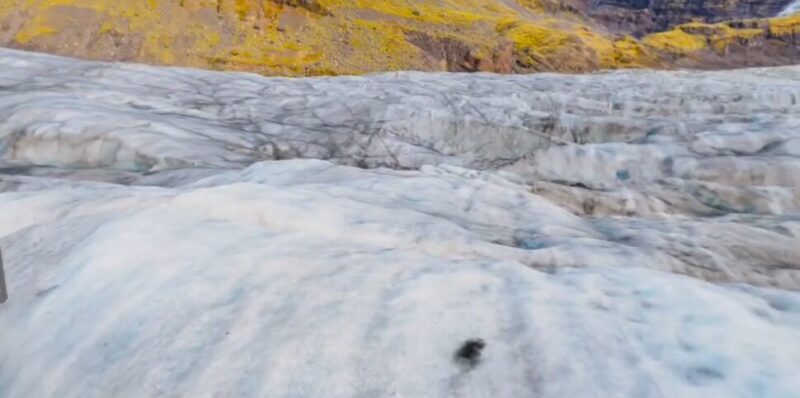
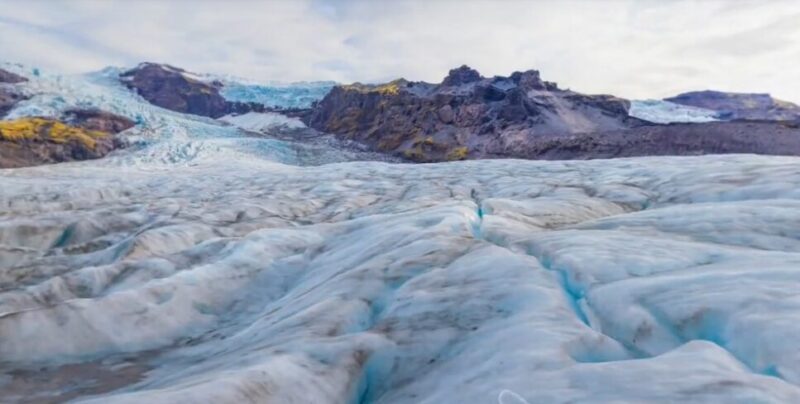
This location’s only around 322MB, so it was quick to download, and I was surprised to see they could fit a map into such a small file size.
Vatnajökull’s the largest ice cap in Iceland and one of the largest in Europe. It’s famous for its breathtaking glacier landscapes, deep crevasses, and stunning blue ice caves that shift and change shape every year. It’s a harsh, freezing, but incredibly beautiful environment that feels completely otherworldly.
When you open the location, you’re placed right in the middle of the ice caps, surrounded by mountains. I can really appreciate the distant view of the mountain and valley landscape alongside the moving sky, and the ice caps are nothing short of unique. It’s definitely something you don’t see every day, and for that reason alone, it’s worth checking out. When you look deeper into the ice, you begin to notice the interesting details. By pressing the left joystick down, you can crouch, which brings you closer to the ice. Just gazing at it is fascinating because you get to see firsthand how it dips and caves into the ground. For that reason, it’s a fantastic map and a great addition to the library.
You can see from the red boundary line the actual size of this location, and I’m impressed that it’s actually not a small map, considering the file size. There’s a decent amount of land covered. I’d like to see more interactive objects, though. I’ve seen features in previous locations where you can pick up small objects like stones and throw them around the map. I was hoping more maps would include interactive elements like that, but I couldn’t find any here.
USA Sequoia
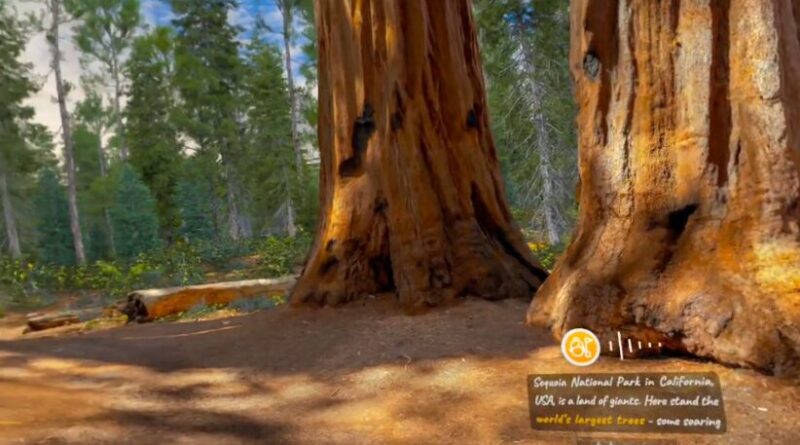
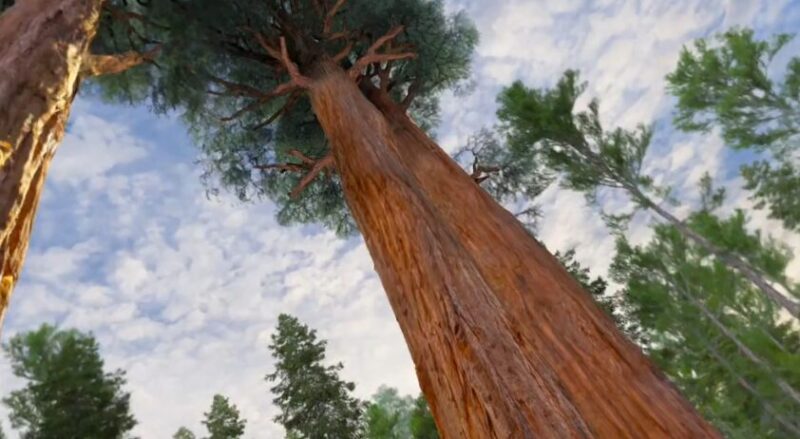
The next map I explored on BRINK Traveler VR was Sequoia, USA. This one also has a smaller file size at 343 megabytes (as of this review), and I was surprised once again by the space and scenery available. You’re planted right into the center of a forest surrounded by huge trees.
Sequoia National Park in California’s globally renowned for its giant sequoia trees, which are some of the largest and oldest living things on Earth. Standing at the base of these towering giants in VR really puts human scale into perspective and makes you feel incredibly small.
What I appreciate about this map is the inclusion of wildlife. This might feature the most animals I’ve seen in a BRINK Traveler location. There’re plenty of butterflies flying around, you can hear birds and ambient nature sounds, and you can even see birds circling the trees above. This adds a nice, natural feel to the environment and really brings it to life. It’d be amazing to see more animals added to future locations.
While the trees look highly detailed and fascinating, the surrounding floor area looks quite flat. It’s more noticeable when you crouch down, as you can see the textures make the ground look a bit like a PS2 game. The plants outside the playable boundary give a similar impression. Having said that, it’s still well worth checking this location out.
Italy Dolomites
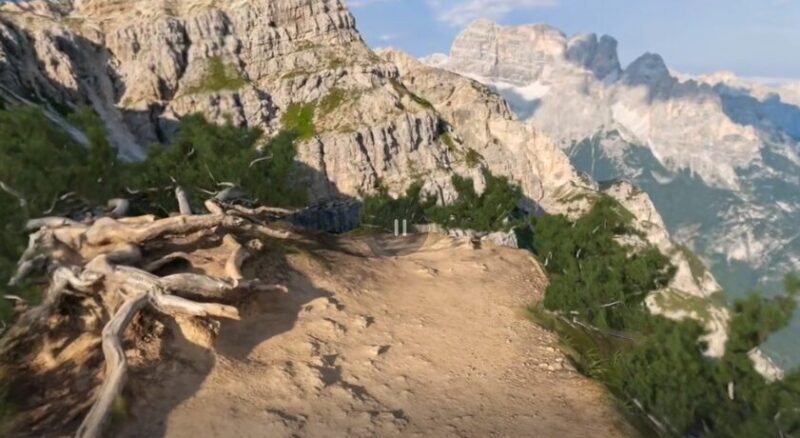
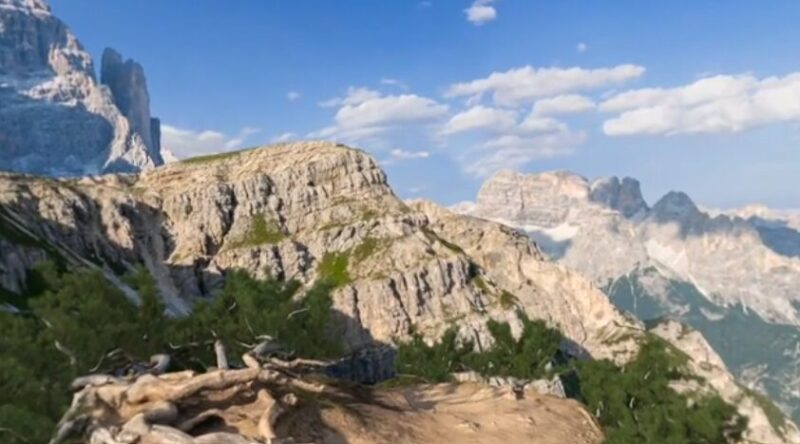
Our final location’s the Dolomites in Italy. This one’s 1.1 gigabytes, so we were expecting to see something quite unique for that amount of storage space.
The Dolomites are a stunning mountain range in northeastern Italy, recognized as a UNESCO World Heritage site. They’re famous for their sheer, pale limestone cliffs, dramatic jagged peaks, and sweeping alpine valleys that look like something straight out of a painting.
Now, I’ve got to start by saying the views in this location are amazing. It’s a stunning sunny day, and you can see far into the distant mountains. The mountains are full of detail, from the rocks and trees to the shadows cast by the clouds. The floor looks much more detailed too, and you get a view looking straight over the cliff edge, which might not be for everyone! But it’s got to be said that the walkable space is very limited. This might be the smallest map I’ve experienced within the BRINK Traveler app, which is surprising considering the massive file size.
You don’t get much walking space, but you do get an incredible view. While it’s definitely worth checking out, it may not be worth keeping downloaded for offline mode, especially if you’re short on storage in your Quest 3 headset.
What’s Still Missing
These new locations are amazing and serve as fantastic additions to the BRINK Traveler library. You’ve got to appreciate the detail and time it must take to assemble these 3D maps. As we mentioned in our previous review, we’d love to see more interactivity within the locations, more small objects you can hold, grab, or throw, such as rocks or plants. Furthermore, the inclusion of more animals would really set this app apart. If the team at BRINK Traveler were able to add more of these features to newer maps, we think it’d make the experience far more engaging.
Is It Still Worth It?
There’re now more travel apps available in VR. If you look in the Quest app library, you can find popular titles like WorldLens, FLY, and Wander, not to mention others that’re available via App Lab. However, BRINK Traveler’s still a relatively affordable app, and if you can grab it on a discount, it’s even more worthwhile. Just for the diversity, the quality of the locations, and the promise of future map updates, this app remains a really solid VR choice. It’s an especially fun experience for showing family or friends different virtual environments.
We hope you’ve enjoyed this review of the new BRINK Traveler VR locations. You can find our previous review of BRINK traveler on the Quest 3 here. Thanks for reading, and join us in the next one!

Combining a BSc in Computing and Business with a passion for digital productivity, Eamon A. has spent the last three years reviewing the latest tech innovations. From high-performance laptops to essential home office accessories, his in-depth comparisons focus on design and functionality, ensuring readers find the perfect tools for their setup.
Last update on 2026-06-12 / Affiliate links / Images from Amazon Product Advertising API