📢 Disclosure: Some links on this page are affiliate links. As an Amazon Associate, I earn from qualifying purchases at no extra cost to you. Thanks for your support.
Take our laptop finder quiz and find the best laptop that suits your needs.
Laptop Quiz!
Budget Gaming Laptop

- 15.6" FHD with 144Hz refresh rate
- Intel i5-13420H with RTX 3050 GPU
- Generous 16GB RAM with 512GB SSD storage
- Large keyboard without numpad
- Comes with Window 11
This MSI Thin 15 is one of the best budget gaming laptops that's packed with an RTX 3050 GPU and a 13th gen I5 processor, allowing users to play games, edit videos and do more from your laptop. This model features one of my favorite feeling keyboards with large buttons but without the numpad.
Keep in mind, previous models have had issues with wear on the hinges. Besides that, this one still packs a great deal for it's features.

- This laptop gives you the 12th Gen Intel Core i5-12500H processor with the RTX 3050 GPU
- 16GB RAM with fast 512GB SSD storage for quick multitasking
- 15.6" FHD 144Hz display with Adaptive-Sync for fluid gameplay
- Advanced cooling keeps high-core CPUs running strong
- MUX Switch boosts gaming performance by 5–10%
The ASUS TUF Gaming F15 is a durable laptop built with strong thermal performance, even though the design is a few years old. With a 12th Gen Intel CPU and RTX 3050 GPU, it’s well-suited for entry-level gaming and video editing on the go. While it's built to last, it is heavy at around 7 pounds.

- Includes AMD 8-core Ryzen 7 7735HS CPU great for speed & multitasking
- 100W USB-C PD fast charging with GaN II tech
- Comes with Radeon 680M graphics which is roughly equivalent to a GTX 1650
- Very generous 32GB RAM with 1TB SSD storage
- Sleek design at around 3.8lbs with smart performance
The Nimo laptop is a lesser known brand, and for that there comes some unfamiliar expectations but this model packs some generous components for its price. The AMD 8-core processor and Radeon 680M graphics, make it perfect for both work and play. With 32GB of RAM and a fast 1TB SSD, it handles multitasking and storage with easily too.
But keep in mind, it's an entry-level gaming laptop, and the GPU is on the lower end. Still it's great for those who like light gaming paired with intensive work tasks.
Read more options:
| Top Picks | |||
|---|---|---|---|
| Laptops: | Acer Nitro 5 | Lenovo LOQ Gaming Laptop | Lenovo Ideapad Gaming 3 |
| Best For | Casual gamers, budget-conscious buyers | Budget gaming with better build quality, good thermals, and future-proofing | Entry-level gaming at an affordable price |
| Processor Options | Intel Core i5/i7 (12th-13th Gen) / AMD Ryzen 5/7 (6000-7000 Series) | Intel Core i5/i7 (13th-14th Gen) / AMD Ryzen 5/7 (7000 Series) | Intel Core i5/i7 (12th-13th Gen) / AMD Ryzen 5/7 (6000-7000 Series) |
| GPU Options | RTX 3050 / RTX 4050 / RTX 4060 (4GB-8GB VRAM) | GTX 1650 / RTX 3050 / RTX 4050 / RTX 4060 (4GB-8GB VRAM) | RTX 3050 / RTX 4050 / RTX 4060 (4GB-8GB VRAM) |
| Display | 15.6" FHD (144Hz/165Hz) IPS | 15.6"/16" FHD (144Hz/165Hz) IPS | 15.6" FHD (120Hz/144Hz) IPS |
| Build Quality | Plastic chassis, decent durability | Sturdier build than Nitro 5, better hinge and chassis durability | Plastic build, similar to Nitro 5 but slightly better |
| Cooling & Thermals | Mediocre cooling, tends to overheat under heavy loads | Good cooling system, better airflow than Nitro 5 & Ideapad Gaming 3 | Decent cooling, but fans get loud under load |
| Battery Life | 4-6 hours (varies with GPU) | 4-7 hours (depending on usage) | 3-5 hours |
| Keyboard & Trackpad | RGB backlit keyboard, decent trackpad | 4-zone RGB backlit keyboard, good trackpad | Single-color backlit keyboard, average trackpad |
| Port Selection | USB-C, USB-A, HDMI 2.1, Ethernet, Headphone Jack | USB-C, USB-A, HDMI 2.1, Ethernet, Headphone Jack | USB-C, USB-A, HDMI 2.1, Ethernet, Headphone Jack |
| Upgradability | Up to 32GB RAM, dual SSD slots | Up to 32GB RAM, dual SSD slots | Up to 32GB RAM, dual SSD slots |
| Price Range | Check Price | Check Price | Check Price |
- Acer Nitro 5: A very good budget gaming laptop when paired with the RTX 3050/4050 that can deliver good performance for what it's worth.
- Lenovo LOQ Gaming Laptop: This is one of the best budget gaming laptops available today. It has better build quality than Acer Nitro 5, decent thermals, and solid gaming performance. If you can afford an RTX 4050 or 4060 model, it’s a great long-term option. However, with the GTX 1650 it is still a great cheaper alternative for lighter gaming.
- Lenovo Ideapad Gaming 3: Paired with the RTX 3050/4050, this is a good budget gaming laptop, especially if you’re looking for an affordable entry point into gaming. However, it doesn't have the best thermals and build quality.
- If you want something with more GPU power, consider retaking the quiz and choosing the mid-range option.
Mid-Range Gaming Laptop

ASUS ROG Strix G16 Gaming Laptop
- CPU: Intel Core i7-13650HX, another powerful 13th-gen processor for gaming & multitasking.
- GPU: NVIDIA GeForce RTX 4060: strong 1080p/1440p gaming performance.
- Display: 16″ FHD+ 165 Hz: smooth, responsive visuals.
- Memory/Storage: 16 GB DDR5 RAM + 1 TB PCIe Gen 4 SSD.
- Ports: Great port range includes: HDMI, USB-C, USB-A, RJ-45, Wi-Fi 6E.
- Design: Premium build with RGB keyboard & efficient cooling.
- OS: Windows 11 Home.

- CPU: Intel Core i7-13620H: strong 13th-gen processor built for smooth gaming and multitasking.
- GPU: NVIDIA GeForce RTX 4050: delivers excellent 1080p gaming with ray tracing support.
- Display: 15.6″ FHD 165 Hz IPS: fast, vibrant screen for fluid gameplay.
- Memory/Storage: 16 GB DDR5 RAM + decent 1 TB Gen 4 SSD.
- Ports: Very good port range including: USB-C, HDMI 2.1, USB 3.2, RJ-45 Ethernet, Wi-Fi 6, & backlit keyboard.
- OS: Windows 11 Home.

Lenovo LOQ RTX 5060 Gaming Laptop
- CPU: AMD Ryzen 7 250: fast multi-core chip for gaming & multitasking.
- GPU: NVIDIA GeForce RTX 5060: excellent 1080p/1440p gaming power.
- Display: 15.6″ FHD 144 Hz: smooth, sharp visuals.
- Memory/Storage: 32 GB DDR5 RAM + 1 TB SSD.
- Ports: HDMI, USB-C, USB-A, RJ-45, Wi-Fi 6, backlit keyboard.
- Design: Luna Grey chassis with cooling bundle.
- OS: Windows 11 Home.
Read more options:
| Top Picks | ||||
|---|---|---|---|---|
| Laptops: | Acer Nitro 5 | Lenovo Ideapad Gaming 3 | Lenovo Legion Pro 5 Gen 8 (2023) | ASUS ROG Strix G16 (2024) |
| Best For: | Casual gamers, budget gaming | Mid-range gaming at a lower price | Competitive gamers, high-end performance | Mid-range gaming with premium features |
| Processor Options: | Intel Core i5/i7 (12th-13th Gen) / AMD Ryzen 5/7 (6000-7000 Series) | Intel Core i5/i7 (12th-13th Gen) / AMD Ryzen 5/7 (6000-7000 Series) | Intel Core i7/i9 (13th Gen) / AMD Ryzen 7/9 (7000 Series) | Intel Core i7-13650HX / i9-13980HX |
| GPU Options: | RTX 3050 / RTX 4050 / RTX 4060 (4GB-8GB VRAM) | RTX 3050 / RTX 4050 / RTX 4060 (4GB-8GB VRAM) | RTX 4060 / RTX 4070 / RTX 4080 (8GB-12GB VRAM) | RTX 4060 / RTX 4070 (8GB VRAM) |
| Display: | 15.6" FHD (144Hz/165Hz) IPS | 15.6" FHD (120Hz/144Hz) IPS | 16" WQXGA (2560x1600) 165Hz IPS | 16" FHD+ (165Hz/240Hz) IPS |
| Build Quality: | Plastic chassis, decent durability | Plastic build, slightly better than Nitro 5 | Sturdy build with better materials | High-quality aluminum chassis |
| Cooling & Thermals: | Mediocre cooling, can overheat under load | Decent cooling, but fans get loud | Excellent cooling, multiple heat pipes | Good cooling, but fans are loud |
| Battery Life: | 4-6 hours (varies with GPU) | 3-5 hours | 6-8 hours | 5-7 hours |
| Keyboard & Trackpad: | RGB backlit keyboard, decent trackpad | Single-color backlit keyboard, average trackpad | Per-key RGB keyboard, responsive trackpad | Per-key RGB keyboard, smooth trackpad |
| Port Selection: | USB-C, USB-A, HDMI 2.1, Ethernet, Headphone Jack | USB-C, USB-A, HDMI 2.1, Ethernet, Headphone Jack | USB-C, USB-A, HDMI 2.1, Ethernet, Headphone Jack | USB-C, USB-A, HDMI 2.1, Ethernet, Headphone Jack |
| Upgradability: | Up to 32GB RAM, dual SSD slots | Up to 32GB RAM, dual SSD slots | Up to 64GB RAM, dual SSD slots | Up to 64GB RAM, dual SSD slots |
| Price Range: | Check Price | Check Price | Check Price | Check Price |
- Acer Nitro 5: This is an excellent mid-range option when you opt for the RTX 4060.
- Lenovo Legion Pro 5 Gen 8 (2023): This is still one of the best mid-range gaming laptops even if you get the model a year or two older. It offers high-end performance at a mid-range price, making it an excellent choice for gamers who want premium features.
- Lenovo Ideapad Gaming 3:Another great option when paired with the RTX 4060, for those seeking a slighly cheaper mid-range laptop but still offering impressive gaming performance.
- ASUS ROG Strix G16 (2024): A great mid-range laptop with fantastic performance; however, it’s known to be a little noisy.
If you require a cheaper gaming laptop with less GPU power, consider retaking the quiz and selecting the budget gaming option.
High-End Gaming Laptop
Best for Pro Gamers, Designers, and Intense Work

- Chip: Intel Core i7-13620H; power for gaming and multitasking.
- Graphics: Very powerful NVIDIA GeForce RTX 5070 for smooth AAA gaming and creative performance.
- Display: 16″ WUXGA (1920×1200) 165 Hz display that's spacious, sharp, fast, and immersive.
- Memory & Storage: 32 GB DDR5 RAM + 1 TB SSD, providing plenty of storage.
- Ports include: USB-C, HDMI 2.1, Ethernet, USB-A, Wi-Fi 6E, Bluetooth 5.2.
- OS: Windows 11 Home.

Lenovo Legion 5 15.1" OLED WQXGA 165HZ Gaming Notebook
- Chip: AMD Ryzen 7 260; top-tier gaming and multitasking power.
- Graphics: NVIDIA GeForce RTX 5060; smooth AAA gameplay and ray tracing.
- Display: Visually stunning 15.1″ OLED WQXGA screen (2560×1600) 165 Hz; vivid, fast, and ultra-detailed.
- Storage: 32 GB RAM + 1 TB SSD: A Good amount of RAM and Storage for gaming and projects.
- Ports include: USB-A, USB-C, HDMI 2.1, and Ethernet.
- Extras: Windows 11 Pro, and 2 TB flash drive.

ASUS ROG Strix G16 (2025) Gaming Laptop
- Chip: Intel Core Ultra 9 275HX; elite gaming processor.
- Graphics: NVIDIA GeForce RTX 5070 Ti; powerful for AAA gaming and creative workloads.
- Display: 16″ 2.5K (2560×1600) ROG Nebula, and ultra-fast 240 Hz / 3 ms; stunning clarity and speed.
- Good Memory & Storage: 32 GB DDR5 + 1 TB SSD.
- Ports Range Includes: USB-C, HDMI 2.1, USB-A, Ethernet, Wi-Fi 7.
- OS: Windows 11 Home.
Read more options:
| Top Picks | |||
|---|---|---|---|
| Laptops: | Lenovo Legion Slim 7i | Lenovo Legion 9i Gen 9 (16") | ASUS ROG Strix SCAR 18 |
| Best For: | Gamers & creators needing power & portability | Ultra-premium gaming & extreme performance | Hardcore gaming & esports |
| Processor Options: | Intel Core i7/i9 (13th-14th Gen) | Intel Core i9-14900HX | Intel Core i9-14900HX |
| GPU Options: | RTX 4060 / RTX 4070 | RTX 4090 (16GB VRAM) | RTX 4080 / RTX 4090 (16GB VRAM) |
| Display: | 16" WQXGA (2560x1600) 165Hz IPS | 16" Mini LED (3200x2000) 165Hz HDR | 18" QHD+ (2560x1600) 240Hz Mini LED HDR |
| Build Quality: | Slim, lightweight aluminum chassis | Premium carbon fiber & metal, liquid cooling | Large, robust chassis, esports design |
| Cooling & Thermals: | Good cooling but limited due to slim design | Advanced liquid cooling for high efficiency | High-performance cooling but can be loud |
| Battery Life: | 5-7 hours (varies with GPU) | 4-6 hours | 4-6 hours |
| Keyboard & Trackpad: | Per-key RGB keyboard, large trackpad | Per-key RGB keyboard, premium feel | Per-key RGB keyboard, mechanical feel |
| Port Selection: | USB-C, USB-A, HDMI 2.1, Ethernet | USB-C, USB-A, HDMI 2.1, Ethernet | USB-C, USB-A, HDMI 2.1, Ethernet |
| Upgradability: | Up to 32GB RAM, dual SSD slots | Up to 64GB RAM, dual SSD slots | Up to 64GB RAM, dual SSD slots |
| Price Range: | Check Price | Check Price | Check Price |
- Lenovo Legion Slim 7i: This is a premium, thin-and-light gaming laptop that sits between mid-range and high-end gaming laptops. It offers a great balance of powerful hardware and portability, making it ideal for gamers and creators who need high performance in a slim and lightweight form factor.
- Lenovo Legion 9i Gen 9 (16"): This is a top-tier, ultra-premium gaming laptop, competing with the best high-end gaming laptops. It is Lenovo's most powerful gaming laptop, featuring cutting-edge hardware, a high-end display, and a unique liquid cooling system.
- ASUS ROG Strix SCAR 18: This is a high-end gaming laptop designed for hardcore gamers and esports enthusiasts. It features a massive 18-inch QHD+ 240Hz Mini LED display, delivering incredible visuals with HDR support.
If you require a cheaper gaming laptop with less GPU power, consider retaking the quiz and selecting the budget or mid-range option.
Budget General Use Laptop
Best for Web Browsing, Office, and School

Lenovo V-Series V15 15.6" Business Laptop
- CPU: AMD Ryzen 7 7730U: 8-core/16-thread processor, far faster than dual-core or Ryzen 3 chips. Easily handles multitasking, office apps, streaming, and even light creative work.
- Memory/Storage: 16 GB RAM + 1 TB SSD: generous capacity and fast load times.
- Display: 15.6″ Full HD (1920 × 1080): sharp, clear, and large for productivity.
- Ports: HDMI, RJ-45, USB-C, USB 3.2 & USB 2.0, and headphone jack: Overall good connectivity for peripherals.
- Design: Solid Lenovo business build, numeric keypad, and Windows 11 Pro.

ASUS Vivobook Go 15.6” Slim Laptop
- CPU: AMD Ryzen 5 7520U: balanced quad-core chip for smooth everyday multitasking.
- Memory/Storage: 8 GB RAM + 512 GB SSD: good for browsing, office work, and media.
- Display: 15.6″ Full HD LED: large, clear screen for everyday use.
- Design: Slim, lightweight, and durable with military-grade build.
- Battery: Fast-charging and long-lasting for school or home work.

Acer Aspire Premium Slim 15.6" Full HD Laptop
- CPU: AMD Ryzen 3 7330U: efficient quad-core processor for everyday tasks.
- Memory/Storage: 16 GB RAM + 256 GB NVMe SSD: smooth multitasking and fast startup.
- Display: 15.6″ Full HD IPS: clear, good-sized screen for work and streaming.
- Design: Slim, lightweight build with Wi-Fi 6 and Windows 11 Pro.
- Use Case: Great budget laptop for students, home, or office use.
Read more options:
| Top Picks | |||
|---|---|---|---|
| Laptops: | HP 14-Inch Laptop | ASUS Vivobook 15 | Acer Aspire 5 |
| Best For: | Web browsing, document work, casual use | Students, office work, streaming, multitasking | General use, budget-friendly office/school tasks |
| Processor Options: | Intel Core i3/i5 (12th-13th Gen) | Intel Core i3/i5/i7 (12th-13th Gen) / AMD Ryzen 5 5000 Series | Intel Core i5-1235U / AMD Ryzen 5 5500U |
| GPU Options: | Integrated Intel UHD / Iris Xe | Integrated Intel UHD / Iris Xe / AMD Radeon | Integrated Intel UHD / Iris Xe / AMD Radeon |
| Display: | 14" FHD (1920x1080) IPS | 15.6" FHD (1920x1080) IPS | 15.6" FHD (1920x1080) IPS |
| Build Quality: | Lightweight, plastic chassis | Plastic chassis, decent durability | Good build quality for the price |
| Battery Life: | 7-10 hours | 6-9 hours | 6-8 hours |
| Keyboard & Trackpad: | Standard keyboard, decent trackpad | Full-size keyboard, good trackpad | Full-size keyboard, smooth trackpad |
| Port Selection: | USB-C, USB-A, HDMI, Headphone Jack | USB-C, USB-A, HDMI, Headphone Jack | USB-C, USB-A, HDMI, Headphone Jack |
| Upgradability: | Up to 16GB RAM, SSD upgradeable | Up to 16GB RAM, SSD upgradeable | Up to 32GB RAM, dual SSD slots |
| Price Range: | Check Price | Check Price | Check Price |
- HP 14-Inch Laptop: When paired with the Intel Core i3/i5, this is a compact laptop designed for everyday tasks like web browsing, document editing, streaming, and light multitasking. It's a great option for people who just need a reliable device that can handle light tasks without spending too much.
- ASUS Vivobook 15: This is a great laptop for everyday use, offering a good balance of performance for light tasks, portability, and affordability. It’s ideal for students, office workers, and casual users who need a reliable laptop for things like web browsing, document work, streaming, and light multitasking.
- Acer Aspire 5: One of the best budget general-use laptops because it offers a good balance of performance, build quality, and affordability. You can get this with various processors, but when paired with the AMD Ryzen 5 5500U or Intel Core i5-1235U, it offers solid value.
Premium General Use Laptop
Best for Smooth Multitasking

Lenovo ThinkPad E16 16" Business Laptop
- CPU: AMD Ryzen 5 7530U - 6-core chip for smooth multitasking and productivity.
- Memory/Storage: 24 GB RAM + 1 TB SSD - fast and spacious for everyday work.
- Display: 16″ WUXGA (1920×1200) - sharp, taller screen for better workspace.
- Design: Durable ThinkPad build with fingerprint reader and Pro keyboard.
- Ports: HDMI, RJ-45, USB-C, USB-A, Wi-Fi 6 - decent range of ports.
- OS: Windows 11 Pro

Apple 2025 MacBook Air 13" Laptop with M4 chip
- Chip: M4 chip delivers outstanding speed and efficiency for modern workflows.
- Display: 13.6″ Liquid Retina screen - vibrant, color-rich, and sharp.
- Memory/Storage: 16 GB unified memory + 512 GB SSD - smooth multitasking with average storage space.
- Camera/Ports: 12 MP Center Stage camera; very minimal port range with MagSafe charging and two Thunderbolt 4 ports.
- Design: Ultra-light, fanless, and fantastic battery life.
- OS: Runs macOS with built-in Apple Intelligence.

ASUS VivoBook Pro 14” OLED Laptop
- CPU/GPU: Ryzen 7 6800H + RTX 3050 - powerful combo for multitasking, creative apps, and light 4K editing.
- Display: 14″ 2.8K OLED - vibrant, color-accurate, and sharp for design or streaming.
- Memory/Storage: 16 GB RAM + 1 TB SSD - fast and ample for large files.
- Design: Slim aluminum chassis, quiet fans, and solid build quality.
- Ports: USB-C, USB 3.2, 2× USB 2.0, HDMI 2.1, microSD reader, and audio jack - decent port range.
- OS: Windows 11 Home.
Read more options:
| Top Picks | ||||
|---|---|---|---|---|
| Laptops: | Apple MacBook Pro | Lenovo ThinkPad X1 Carbon Gen 12 | Asus Zenbook 14 OLED | Acer Swift Go 14 |
| Best For: | macOS users, creative professionals | Business professionals, programmers, Linux users | Content creators, designers, professionals | Budget-friendly professionals, students |
| Processor Options: | Apple M3 / M3 Pro / M3 Max | Intel Core Ultra 7 165H / Ultra 9 185H | Intel Core Ultra 7 155H | Intel Core Ultra 7 155H |
| GPU Options: | Integrated Apple GPU | Integrated Intel Arc | Integrated Intel Arc | Integrated Intel Arc |
| Display: | 14"/16" Liquid Retina XDR (120Hz ProMotion) | 14" 2.8K OLED (2880 x 1800) IPS | 14" 2.8K OLED (2880 x 1800) 120Hz | 14" 2.8K OLED (2880 x 1800) 90Hz |
| Build Quality: | Premium aluminum chassis | Carbon fiber and magnesium alloy | Metal chassis, lightweight | Plastic-aluminum mix |
| Weight: | 3.4 - 4.8 lbs (1.5 - 2.2 kg) | 2.5 lbs (1.13 kg) | 2.82 lbs (1.28 kg) | 2.76 lbs (1.25 kg) |
| Battery Life: | 18-22 hours | 12-15 hours | 10-12 hours | 8-10 hours |
| Keyboard & Trackpad: | Large trackpad, Magic Keyboard | Best-in-class keyboard, smooth touchpad | Comfortable keyboard, large touchpad | Standard keyboard, decent trackpad |
| Port Selection: | USB-C / Thunderbolt 4, MagSafe, HDMI | USB-C / Thunderbolt 4, USB-A, HDMI, Ethernet | USB-C, USB-A, HDMI | USB-C, USB-A, HDMI |
| Upgradability: | RAM & SSD non-upgradable | RAM soldered, SSD upgradable | RAM soldered, SSD upgradable | RAM soldered, SSD upgradable |
| Price Range: | Check Price | Check Price | Check Price | Check Price |
- Apple MacBook Pro: : If you prefer macOS, Apple's MacBook Pro offers one of the best premium general-use laptops, featuring top-tier performance, premium build quality, long battery life, and an outstanding display. This makes it great for designers, though it's definitely a premium option.
- Lenovo ThinkPad X1 Carbon Gen 12: Also a good choice for programmers with Linux compatibility. This is a premium ultraportable laptop renowned for its exceptional build quality, lightweight design, and robust performance, making it an excellent choice for professionals and general users seeking a high-quality computing experience. This is also good for content creation and photo editing due to its high-quality display.
- Asus Zenbook 14 OLED: With its fantastic display, this laptop is a compelling blend of performance, portability, and visual excellence, making it a really good option for both professionals and general users. Its powerful hardware and high-resolution display make it suitable for professionals engaged in content creation, graphic design, and other demanding tasks. It also only weighs around 2.82 pounds, making it super portable.
- Acer Swift Go 14: This one is actually a mid-tier ultraportable laptop. Even though it's cheaper than the other premium options, it still delivers great performance and portability. While it may not offer the premium build quality or high-end features of more expensive models on this list, it provides excellent value for users seeking a dependable laptop for everyday tasks.
Budget Creative Work Laptop
Best budget picks for video editing & graphic design

Acer Swift X 14" Creator Laptop
- High Performance: AMD Ryzen 7 5800U and RTX 3050 Ti for power and speed.
- Vivid Display: 14" FHD IPS, 100% sRGB, 300 nits brightness.
- Portable Build: Metal design, around 3.3 lbs, long battery, fast charging.
- Ports: Wi-Fi 6, Bluetooth 5.2, USB-C, 2× USB-A, HDMI 2.0, and headphone jack.
- Storage: 16GB LPDDR4X RAM and 512GB SSD storage.
- Note: Runs on Windows 10 Home.

- Display: 15.6" Full HD (1920×1080) IPS, 144Hz, anti-glare screen.
- Processor: AMD Ryzen 5 7535HS (up to 4.5 GHz, 6 cores, 16 MB cache).
- GPU Power: Radeon RX 6550M
- Memory & Storage: 16 GB DDR4 RAM and 512 GB SSD.
- Operating System & Features: Windows 11 Home; backlit keyboard with numeric pad.
- Ports: HDMI 2.1, USB Type-C, 2× USB-A, RJ-45 Ethernet, headphone jack, and AC power port.
Apple 13-inch M4 MacBook Air 2025 Laptop
- M4 chip: Fast, efficient performance for creative apps.
- Display: Vibrant, color-accurate 13.6″ Liquid Retina screen.
- Memory: 16 GB unified RAM handles big projects smoothly.
- Portable: Lightweight, silent, and long-lasting battery.
- AI-ready: Built for Apple Intelligence creative tools.
- Note: Runs on macOS
Read more options:
| Top Picks | ||||
|---|---|---|---|---|
| Laptops: | Acer Nitro V 15 | Dell Inspiron 14 | Lenovo Ideapad Gaming 3 | Acer Swift Go |
| Best For: | Budget-friendly creative professionals | Portable, affordable creative work. budget option light work only | Budget-conscious gamers & content creators | Color accuracy & portability |
| Processor Options: | Intel Core i5-13420H / i7-13620H | Intel Core i5-1335U / i7-1355U | Intel Core i5-12500H / i7-12650H | Ultra 5 processor 125H |
| GPU/RAM Options: | RTX 3050 / RTX 4050 (6GB VRAM) | Integrated Intel Iris Xe (8GB RAM) | RTX 3050 / RTX 4050 / RTX 4060 (4GB-8GB VRAM) | Integrated (8GB LPDDR5) |
| Storage: | 512GB SSD | 512GB SSD | 512GB SSD | 512GB SSD |
| Display: | 15.6" FHD (144Hz/165Hz) IPS | 14" FHD+ / QHD+ (1920x1200 or 2560x1600) | 15.6" FHD (120Hz/144Hz) IPS | 14-inch OLED (2880x1800) |
| Weight: | 4.66 pounds | 3.1/3.7 pounds | 4.96 pounds | 2.87 pounds |
| Build Quality: | Plastic chassis, decent durability | Plastic-metal mix, compact design | Plastic chassis, slightly better than Nitro V 15 | Aluminum and plastic chassis, not quite premium but overall sturdy |
| Cooling & Thermals: | Decent cooling, but can get warm under load | Runs cool but not ideal for heavy rendering | Decent cooling, fans can be loud | Not idea for heavy rendering |
| Battery Life: | 4-6 hours | 6-10 hours | 3-5 hours | Around 10-11 hours in light use |
| Port Selection: | USB-C, USB-A, HDMI 2.1, Ethernet | Limited | USB-C, USB-A, HDMI 2.1, Ethernet | Limited |
| Upgradability: | Up to 32GB RAM, dual SSD slots | Up to 16GB RAM, SSD upgradeable | Up to 32GB RAM, dual SSD slots | Generally cannot be upgraded |
| Price Range: | Laptop Deal | Laptop Deal | Laptop Deal | Laptop Deal |
- Acer Nitro V 15: Not only is this a good budget gaming laptop, it's also great for creative work because it offers a balanced blend of performance, display quality, and upgradeability, making it a strong contender for creatives seeking a cost-effective solution for their professional needs.
- Dell Inspiron 14: This laptop offers a balance of performance, portability, and affordability, making it a viable option for creative work, especially when choosing the QHD+ variant.
- Lenovo Ideapad Gaming 3: This is a decent budget laptop for creative work, especially for those needing a balance between gaming performance and content creation capabilities. While it's primarily a gaming laptop, its powerful hardware and upgradable components make it a strong option for budget-conscious creative professionals.
- Acer Swift Go 14: The 14-inch OLED display provides a great resolution of 2880 x 1800 pixels and a 90Hz refresh rate. This combination delivers vibrant colors and sharp visuals, essential for tasks like photo and video editing. While it offers a compelling package for budget to mid-range option for creative work, including video editing with applications, users requiring intensive graphical performance might consider laptops equipped with dedicated GPUs for better efficiency
Mid-Range Creative Work Laptop
Best for Serious Content Creators

Acer Swift X 14.5" OLED Laptop
- CPU/GPU: Intel Core Ultra 7 + RTX 4060 for fast 4K video editing.
- Display: 14.5″ OLED 120 Hz, Calman-verified for true color.
- Memory/Storage: 16 GB LPDDR5X RAM, 1 TB SSD for smooth multitasking.
- Design: Sleek aluminum body, lightweight yet powerful.
- AI-Ready: Optimized for creative and AI-accelerated apps.
Apple 2025 MacBook Air 13" Laptop with M4 chip
- M4 chip: Fast, efficient performance for creative apps.
- Display: Vibrant, color-accurate 13.6″ Liquid Retina screen.
- Memory: 16 GB unified RAM handles big projects smoothly.
- Portable: Lightweight, silent, and long-lasting battery.
- AI-ready: Built for Apple Intelligence creative tools.
- Note: Runs on macOS, 256 GB SSD storage, & a minimalist port setup.
ASUS ROG Strix G16 Gaming Laptop
- CPU/GPU: Intel Core i7-13650HX + RTX 4060 for fast 4K editing and rendering.
- Display: 16″ 165 Hz panel: large, smooth, and bright for creative work.
- Memory/Storage: 16 GB DDR5 + 1 TB Gen 4 SSD for speed and multitasking.
- Cooling: Tri-fan system with liquid-metal compound keeps temps low under load.
- Design: Sturdy ROG chassis with full-size keyboard and strong thermals.
- Color: Good sRGB coverage; fine for editing, but not OLED-level accuracy.
Read more options:
| Top Picks | |||||
|---|---|---|---|---|---|
| Laptops: | Lenovo Yoga Slim 7i | Acer Nitro V 15 | Asus Zenbook 14 OLED Touch | Apple MacBook Air M3 13-inch | Acer Swift Go 14 |
| Best For: | Photo & video editing, mid-range creative work | Creative work & gaming, strong GPU options | Photo & video editing, high-quality OLED display | macOS users, ultra-portable content creation | High-resolution OLED display, mid-range creative tasks |
| Processor Options: | AMD Ryzen AI 9 HX 370 | Intel Core i5-13420H / i7-13620H | AMD Ryzen 7 8840HS | Apple M3 | Intel Core Ultra 7 155H |
| GPU Options: | Integrated Radeon 890M | RTX 3050 / RTX 4050 / RTX 4060 | Integrated AMD Radeon Graphics | Integrated Apple GPU | Integrated Intel Arc |
| Display: | 14.5" OLED (2944x1840) 90Hz | 15.6" FHD (144Hz/165Hz) IPS | 14" OLED Touchscreen (1920x1200) | 13.6" Liquid Retina Display (2560x1664) | 14" OLED (2880x1800) 90Hz |
| Build Quality: | Premium, slim aluminum | Plastic chassis, durable for price | Metal chassis, lightweight | Premium aluminum body | Plastic-aluminum mix, lightweight |
| Weight: | 2.82 lbs (1.28 kg) | 5.1 lbs (2.3 kg) | 3.06 lbs (1.39 kg) | 2.8 lbs (1.27 kg) | 2.76 lbs (1.25 kg) |
| Battery Life: | 10-12 hours | 4-6 hours | 9-12 hours | 15-18 hours | 8-10 hours |
| Keyboard & Trackpad: | Comfortable keyboard, large trackpad | RGB backlit keyboard, decent trackpad | Comfortable keyboard, large touchpad | Magic Keyboard, large trackpad | Standard keyboard, smooth trackpad |
| Port Selection: | USB-C, USB-A, HDMI | USB-C, USB-A, HDMI 2.1, Ethernet | USB-C, USB-A, HDMI | USB-C / Thunderbolt 4, MagSafe, Headphone Jack | USB-C, USB-A, HDMI |
| Upgradability: | RAM soldered, SSD upgradeable | Up to 32GB RAM, dual SSD slots | RAM soldered, SSD upgradeable | RAM & SSD non-upgradable | RAM soldered, SSD upgradeable |
| Price Range: | Check Price | Check Price | Check Price | Check Price | Check Price |
- Lenovo Yoga Slim 7i: This display delivers vibrant colors and deep blacks, essential for tasks like photo and video editing. It has a 14.5-inch OLED touchscreen with a resolution of 2944 x 1840 pixels and a 90Hz refresh rate. It offers a balanced combination of performance, display quality, and portability, making it a strong mid-range option for creative professionals seeking a reliable tool for their work.
- Acer Nitro V 15: This is a great mid-range option, especially when paired with the RTX 4050/4060, giving it enough power to run photo/video editing software. It's also a good choice for users wanting a mix of a gaming and creative work laptop.
- Asus Zenbook 14 OLED Touch: This laptop has a great display for photo and video editing. It has a 14-inch OLED touchscreen with a resolution of 1920 x 1200 pixels. It also provides strong performance when paired with the AMD Ryzen 7.
- Apple MacBook Air M3 13-inch: A classic option for macOS users, the MacBook Air M3 features an excellent display in a very portable and compact body. Weighing only around 2.8 pounds, making it great for people who travel often.
- Acer Swift Go 14: The 14-inch OLED display provides a great resolution of 2880 x 1800 pixels and a 90Hz refresh rate. This combination delivers vibrant colors and sharp visuals, essential for tasks like photo and video editing. While it offers a compelling package for mid-range creative work, including video editing with applications like DaVinci Resolve, users requiring intensive graphical performance might consider laptops equipped with dedicated GPUs for better efficiency.
High-End Creative Work Laptop
Best for Professional Editing and 3D Rendering

ASUS ProArt P16 AI 16.0" Touchscreen 4K OLED Creator Laptop
- Chip: AMD Ryzen AI 9 HX 370 with built-in NPU; Powerful and great for creative and AI-powered workflows.
- Graphics: NVIDIA GeForce RTX 4060; ideal for video editing, 3D design, and GPU-intensive tasks.
- Display: Excellent 16.0″ 4K OLED touchscreen (3840×2400), 100% DCI-P3, Pantone Validated; stunning colour accuracy.
- Memory & Storage: Fantastic 32 GB LPDDR5X and very spacious 2 TB SSD for speed and large creative projects.
- Ports include: USB-C/Thunderbolt, HDMI, SD card slot, and more; includes DKZ USB port expander.
- OS: Windows 11 Pro with Copilot+ AI features; backlit keyboard and long battery life.
Lenovo Legion 5 15.1" OLED 165HZ Gaming Notebook
- Chip: AMD Ryzen 7 260; powerful performance for gaming and creative work.
- Graphics: NVIDIA GeForce RTX 5060; smooth 4K video editing and high-FPS gaming.
- Display: Fantastic 15.1″ OLED WQXGA screen (2560×1600) at 165 Hz; ultra-sharp and fluid visuals.
- Memory & Storage: 32 GB RAM, plenty of RAM, and 1 TB SSD; fast multitasking and load times.
- Extras: Windows 11 Pro, great port range & 2 TB flash drive.

Apple 2024 MacBook Pro Laptop with M4 chip
- Chip: Apple M4 with 10-core CPU and 10-core GPU: built for Apple Intelligence; great for creative work such as video editing, 3D rendering, and AI tasks.
- Display: 14.2-inch Liquid Retina XDR (3024×1964) with 1,000 nits sustained / 1,600 nits peak brightness and ProMotion 120 Hz refresh rate.
- Memory & Storage: 24 GB unified memory and a handy 1 TB SSD for multitasking and fast file access.
- Ports include: Thunderbolt 4 (USB-C), HDMI, SDXC card slot, and MagSafe 3 charging.
- OS: macOS Sequoia: supports Apple Intelligence and delivers fantastic battery life.
Read more options:
| Top Picks | |||
|---|---|---|---|
| Laptops: | Apple MacBook Pro 14 M4 (2024) | ASUS ProArt P16 | Lenovo Legion 9i 2024 |
| Best For: | macOS users, professional video editing & 3D work | Creative professionals, 3D rendering, high-res video editing | High-end content creation, 3D rendering, gaming |
| Processor Options: | Apple M4 (10-core CPU) | Intel Core i9-13980HX | Intel Core i9-14900HX |
| GPU Options: | Integrated Apple 10-core GPU | NVIDIA RTX 4070 (8GB VRAM) | NVIDIA RTX 4090 (16GB VRAM) |
| Display: | 14.2" Liquid Retina XDR (3024x1964) 120Hz | 16" 4K OLED Touch (3840x2400) | 16" Mini LED (3200x2000) 165Hz |
| Build Quality: | Premium aluminum body | Sturdy aluminum chassis | Premium carbon fiber & metal |
| Weight: | 3.4 lbs (1.54 kg) | 4.4 lbs (2 kg) | 5.51 lbs (2.5 kg) |
| Battery Life: | 18-22 hours | 6-8 hours | 4-6 hours |
| Keyboard & Trackpad: | Magic Keyboard, large trackpad | Per-key RGB keyboard, smooth trackpad | Per-key RGB keyboard, premium feel |
| Port Selection: | USB-C / Thunderbolt 4, MagSafe, HDMI | USB-C, USB-A, HDMI, SD Card Reader | USB-C, USB-A, HDMI 2.1, Ethernet |
| Upgradability: | RAM & SSD non-upgradable | Up to 64GB RAM, dual SSD slots | Up to 64GB RAM, dual SSD slots |
| Price Range: | Check Price | Check Price | Check Price |
- Apple MacBook Pro 14 M4 (2024): This is a great option for users who prefer the macOS system. The M4 chip features a 10-core CPU (4 performance cores and 6 efficiency cores) and a 10-core GPU, delivering substantial processing power for demanding tasks. The display is amazing too, the 14.2-inch screen offers a resolution of 3024 x 1964 pixels with ProMotion technology supporting up to 120Hz refresh rate, providing sharp visuals and smooth motion, essential for precise content creation.
- ASUS ProArt P16: This laptop is meticulously crafted to meet the demanding needs of creative professionals. When paired with the RTX 4070 GPU it ensures robust graphics performance, essential for rendering complex 3D models and high-resolution video projects. Like all slim form laptops made for high-performance tasks, under heavy workloads, it may become warm, and the fans may produce noticeable noise.
- Lenovo Legion 9i 2024: This is a top-tier laptop engineered to meet the rigorous demands of high-end content creation and 3D rendering. It has an amazing 16-inch Mini LED display with a resolution of 3200 x 2000 pixels and a 165Hz refresh rate making it a great choice not only for precise content creation but also high-end gaming.
Ultrabook / Portable Laptop
Best for Business, Travel, Portability, and Development Work

Lenovo ThinkPad E14 Gen 3 14.0" FHD IPS Laptop
- CPU: AMD Ryzen 7 5700U: reliable 8-core chip for productivity.
- Memory/Storage: Fantastic 40 GB RAM + 2 TB SSD: plenty for business workloads.
- Display: 14″ FHD IPS: Nothing fancy, but gets the job done.
- Connectivity: Wi-Fi 6, Bluetooth 5.2, HDMI, and Dockztorm Hub.
- Design: Compact and durable ThinkPad build with Windows 11 Pro. Plus one of our favorite Keyboards on a laptop.
Acer Swift X 14.5" OLED Laptop
- CPU/GPU: Intel Core Ultra 7 with RTX 4060: powerful yet efficient for creative, everyday tasks, and also more intensive work.
- Display: Excellent 14.5″ OLED 120 Hz: vibrant, sharp, and color-accurate for on-the-go work.
- Memory/Storage: 16 GB LPDDR5X RAM + good storage at 1 TB SSD in a compact form.
- Design: Slim aluminum chassis: lightweight, premium, and easy to travel with.
- AI-Ready: Supports creative and AI-powered apps with optimized efficiency.
Apple 2024 MacBook Pro Laptop with M4 chip
- Chip: M4 chip: fast and efficient for creative and everyday tasks.
- Display: Fantastic 14.2″ Liquid Retina XDR display: bright, sharp, and color-accurate.
- Memory/Storage: 16 GB unified RAM + 512 GB SSD.
- Design: Space Black, lightweight, premium build.
- Ports/OS: Thunderbolt 4 ports, MagSafe charging, runs macOS.
- Convenience: Excellent battery life with a compact, lightweight design that’s easy to carry.
Read more options:
| Top Picks | |||||
|---|---|---|---|---|---|
| Laptops: | Lenovo Yoga Slim 7i Gen 9 / 9i Gen 8 | Acer Swift 3 OLED / Swift Go 14 | Asus Zenbook S 13 OLED (2023) | MacBook Air (M2/M3) | Lenovo ThinkPad X1 Carbon / Dell XPS 13 |
| Best For | Business travelers, lightweight performance | Mid-range business users, everyday tasks | Ultra-lightweight business travel | macOS users, business professionals | Developers, programmers, Linux compatibility |
| Processor Options | Intel Core Ultra 7 155H / 165H | Intel Core Ultra 7 155H / i7-13700H | Intel Core i7-1355U | Apple M2 / M3 | Intel Core Ultra 7 165H / i7-1365U |
| GPU Options | Integrated Intel Arc | Integrated Intel Arc | Integrated Intel Iris Xe | Integrated Apple GPU | Integrated Intel Arc / Iris Xe |
| Display | 14.5" OLED (2944x1840) 90Hz | 14" OLED (2880x1800) 90Hz | 13.3" OLED (2880x1800) | 13.6" Liquid Retina (2560x1664) | 14" 2.8K OLED / 13.4" FHD+ |
| Build Quality | Premium aluminum chassis | Plastic-aluminum mix | Ultra-lightweight magnesium-aluminum | Premium aluminum body | Carbon fiber / premium aluminum |
| Weight | 2.82 lbs (1.28 kg) | 2.76 lbs (1.25 kg) | 2.2 lbs (1.0 kg) | 2.7 lbs (1.24 kg) | 2.5 lbs (1.13 kg) |
| Battery Life | 10-12 hours | 8-10 hours | 10-12 hours | 15-18 hours | 12-15 hours |
| Keyboard & Trackpad | Comfortable keyboard, large trackpad | Standard keyboard, smooth trackpad | Compact keyboard, smooth trackpad | Magic Keyboard, large trackpad | Best-in-class keyboard, smooth touchpad |
| Port Selection | USB-C, USB-A, HDMI | USB-C, USB-A, HDMI | USB-C, USB-A, HDMI | USB-C / Thunderbolt 4, MagSafe | USB-C / Thunderbolt 4, USB-A, HDMI |
| Upgradability | RAM soldered, SSD upgradeable | RAM soldered, SSD upgradeable | RAM soldered, SSD upgradeable | RAM & SSD non-upgradable | RAM soldered, SSD upgradeable |
| Price Range | Check Price | Check Price | Check Price | Check Price | Check Price |
- Lenovo Yoga Slim 7i Gen 9 / 9i Gen 8: Both laptops feature sleek, all-metal chassis that are not only durable but also lightweight, making them easy to carry during travels. Equipped with Intel's latest processors, these laptops ensure smooth multitasking and efficient handling of business applications.
- Acer Swift 3 OLED / Swift Go 14: These are both great mid-range options that are lightweight, provide excellent displays, and offer good performance for running everyday tasks.
- Asus Zenbook S 13 OLED (2023): If getting something lightweight and compact is your main priority, this is an excellent option, especially for business travelers. It features an ultra-lightweight and compact design, high performance, and a premium display. Weighing only 2.2 pounds and measuring just 0.46 inches thin, it's one of the lightest and thinnest ultraportables available, making it incredibly easy to carry during travel. It has a very sharp 13.3-inch 2.8K OLED display (2880 x 1800) and is perfect for presentations, content consumption, and productivity.
- MacBook Air (M2/M3): For users who prefer the macOS system, the MacBook Air is a fantastic small laptop that is super light and powerful enough for smooth-running web tasks and work applications. It offers a fantastic display and design, but certainly not the cheapest on the list.
- Lenovo ThinkPad X1 Carbon / Dell XPS 13: These are both great choices for programming and developers who need power and portability. The ThinkPad X1 Carbon offers excellent Linux compatibility.
Note: Product specifications, images, and details may change as manufacturers update or release new models. Information is for reference only; please verify on the official product page before purchase.
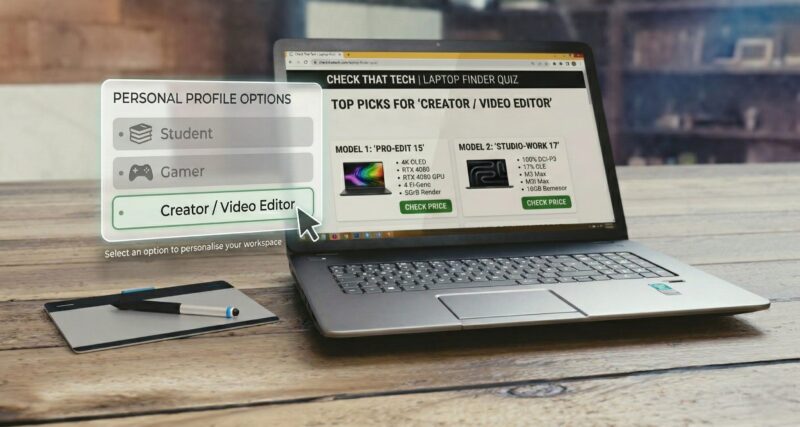
It can be overwhelming looking for the right laptop that suits your needs. There are so many models and new varients on the market all the time, all selling different specs and features at different price ranges – and if you aren’t sure what the specs mean, it can get frustrating quickly. So, that’s why I’ve created the Laptop Finder Quiz – I try to regularly update the contents to show upto date laptop deals. To help bypass all of the confusion and help you find the best laptop to suit your needs without the hours of research.
After just a few quick questions, you’ll be matched with the recommended picks based on your preferences. And it’s completely free, so there’s nothing to lose here. Also, if you want updating on new releases and articles, make sure to subscribe to our newsletter.
How to Choose the Perfect Laptop in 2026
Taking our laptop finder quiz above is the fastest way to get a personalized recommendation, but if you want to know exactly why we recommend certain laptops over others, it helps to understand the hardware.
With so many different models, processors, and graphics cards on the market, figuring out what laptop you should buy can feel overwhelming. Here is a quick breakdown of how to pick a laptop that perfectly matches your daily needs and budget.
1. Identify Your Primary Use Case
The first question our “best laptop for me” quiz asks is about your daily routine. Laptops are generally divided into a few main categories:
- The Everyday/Student User: If you are mostly browsing the web, watching YouTube, writing essays, or managing emails, you don’t need to spend thousands. Look for thin, lightweight laptops (often called Ultrabooks) that prioritize battery life. If you’re heading to campus, check out our full guide to the best laptops for students. Also, since many budget laptops have poor built-in cameras for remote lectures or meetings, you might want to pair it with one of the top-rated web cameras for laptops.
- The Creative Professional: If your daily workflow involves heavy graphic design, 3D rendering, or video production, you need serious power. If you travel frequently, finding a machine that balances battery life, a color-accurate display, and a dedicated GPU is crucial. We highly recommend reading our deep-dive guide on the best laptop for video editing on the go to find the perfect mobile workstation.
- The PC Gamer: Gaming laptops are thicker and heavier for a reason—they need advanced cooling systems to handle high refresh rates and heavy graphical loads. However, you don’t always have to spend a fortune; there are plenty of incredible best budget gaming laptops that can run modern AAA titles beautifully.
2. The Specs That Actually Matter
When you use a help me choose a laptop quiz, the algorithm is secretly calculating which of these internal specs fits your budget:
- Processor (CPU): This is the brain of your computer. For everyday tasks, an Intel Core i5 or AMD Ryzen 5 is perfect. For heavy editing or gaming, you’ll want to step up to an i7, i9, Ryzen 7, or an Apple M-series chip.
- Memory (RAM): RAM dictates how many apps or browser tabs you can have open at once without your computer lagging. In 2026, 16GB of RAM is typically the minimum we recommend for a smooth experience. If you edit 4K video, aim for 32GB.
- Storage (SSD): Always ensure your new laptop has a Solid State Drive (SSD). 512GB is a great starting point, but 1TB is highly recommended if you plan on downloading modern games or storing large video files.
- Graphics (GPU): Most everyday laptops use “integrated graphics,” which is fine for basic tasks. If you are editing video or gaming, you need a “dedicated GPU” (like an Nvidia RTX card).
Pro-Tip: If you find a laptop with the perfect specs but the screen feels too small for your workflow, you don’t need to buy a bigger, heavier laptop. You can easily expand your setup anywhere you go by picking up one of the best laptop screen extenders and portable monitors.
Why Use Our Laptop Finder Quiz?
Technology moves incredibly fast. What was considered a top-tier laptop two years ago might struggle with today’s software updates and AI tools. Instead of spending hours reading confusing spec sheets, our which laptop should I buy quiz cross-references your specific needs, budget, and use cases with the most up-to-date laptop models currently on the market.
Take the quiz at the top of the page to find your perfect match, and stop stressing over the spec sheets!

As one of the site’s writers, A. Moody covers laptops, home tech, and connected devices. His reviews and guides focus on real-world performance and practical insights to help readers make informed tech choices.