📢 Disclosure: Some links on this page are affiliate links. As an Amazon Associate, I earn from qualifying purchases at no extra cost to you. Thanks for your support.
What’s better about these monitors?
Ultrawide monitors are becoming increasingly popular among users seeking a more immersive experience for both work and play. These best ultrawide monitors have an aspect ratio of 21:9 or higher; these monitors provide extra screen real estate, allowing for multiple windows to be open simultaneously. Gone are the days of combining two screens to achieve more space; these sleek, curved displays not only offer impressive width but also enhance immersion with their curvature, making them ideal for gaming, watching movies, and productivity tasks. In the list below, we focus on the best ultrawide monitors in the low to mid price range.
Why work on one?
Working on an ultrawide monitor feels like having all your tools laid out on a single, spacious table. But how do you pick the right one for your needs? In this article, we’ll walk you through the best budget ultrawide monitors currently available and the factors to consider when choosing one. But first, it’s important to know some key factors and use cases.
So, what are some great use cases?
Gaming and Entertainment
For gamers, ultrawide monitors transform how worlds look and feel. The expanded 21:9 or 32:9 aspect ratio offers a panoramic field of view that brings games closer to true peripheral vision. This is emphasised when playing in open worlds, racing, or piloting spacecraft games. The added horizontal space makes a difference for immersion, letting you see more of the environment without relying on camera panning. High refresh rates, as we mentioned above, combined with adaptive sync technologies like G-SYNC or FreeSync make motion smooth and responsive. Beyond gaming, movies and cinematic content shot in widescreen formats appear as directors intended, without black bars, delivering a true theater-like experience at your desk.
Productivity and Professional Workflows
Now, this can be a real game-changer for your work; ultrawides are productivity-focused. To give you some examples, developers can keep code, browser windows, and documentation side by side without alt-tabbing. Video editors benefit from a wider timeline, and designers enjoy a larger canvas for layouts and previews. Spreadsheet users and analysts gain visibility into more columns at once, reducing scrolling and boosting focus.
And now many ultrawides include split-screen or Picture-by-Picture modes, effectively simulating two or more monitors while maintaining color consistency and minimal desk clutter. Below we’ll also look at how they stack up against having multi-screen setups.
Key Factors to Consider When Buying an Ultrawide Monitor
Before diving into our top picks, it’s essential to understand the features that determine a monitor’s performance and suitability for your needs.
Refresh Rate
The refresh rate refers to how many times the screen updates its image per second. Measured in Hertz (Hz), a higher refresh rate reduces lag and ensures smoother visuals, especially important for gamers. For most gaming monitors, 144 Hz is considered the sweet spot. However, it’s important to know that the refresh rate is only as good as your computer’s capability to output frames per second (FPS). We’ll talk more about these in the limitations section below, but to keep it short, a monitor with a high refresh rate won’t improve performance if your PC can’t keep up. Before purchasing, determine your PC’s FPS output and choose a monitor that matches or slightly exceeds it.
Other factors to consider: Resolution and panel type
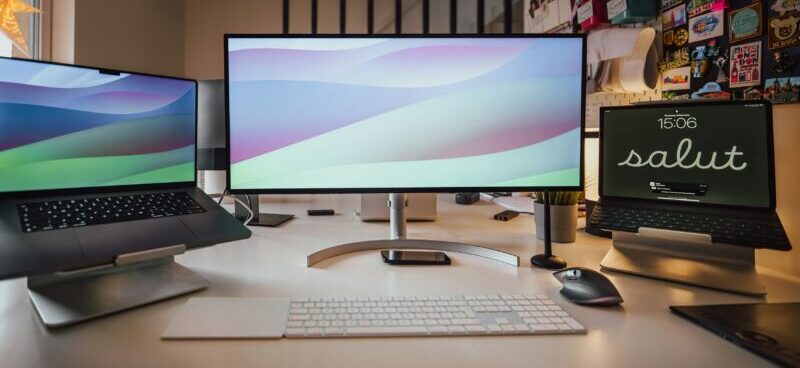
Resolution impacts both image clarity and performance. Higher resolutions like 3440×1440 offer sharper visuals but can demand more from your GPU, potentially lowering FPS. For competitive online gaming, a lower resolution like 1080p might be preferable due to its lighter load on your system. However, larger screen sizes benefit from higher resolutions to avoid pixelation and maintain image quality.
The two main types of panels are VA (Vertical Alignment) and IPS (In-Plane Switching). VA panels offer better contrast and deeper blacks, while IPS panels deliver superior color accuracy and wider viewing angles. Your choice depends on whether you prioritize vibrant colors or higher contrast. Let’s now check out our list below.
The Best Budget Ultrawide Monitors


The ASUS TUF Gaming VG34VQ3B is an excellent value, 34-inch curved ultrawide monitor built for gamers and immersive experiences at a great value. ASUS TUF Gaming is known for its reliable gaming hardware, so you’re also getting a trusted brand, which is especially important if gaming is your main focus. Just check out the awesome features below:
Key Features:
- Refresh Rate: 180 Hz for ultra-smooth motion
- Resolution: 3440×1440 for very good ultrawide visuals
- Curvature: 1500R (a tight immersive curve)
- Panel Type & Response: 1 ms (MPRT) response time, with ASUS ELMB SYNC technology to further reduce motion blur
- Color Coverage: 90% DCI-P3 for vibrant, accurate colors
This monitor delivers immersive gameplay, excellent responsiveness, and strong visuals for both gaming and content consumption. While it lacks premium extras like a KVM switch, it delivers fantastic value for anyone wanting high refresh rates, an ultrawide format, and immersive curved-screen gaming.
Xiaomi Mi Curved 34-Inch Monitor
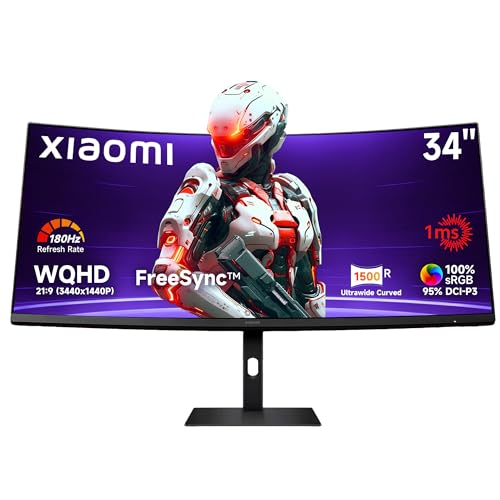
This Xiaomi curved monitor delivers an excellent balance of performance, immersion, and value for anyone seeking an ultrawide monitor. Just check out this impressive list of features:
Key Features:
- Refresh Rate: 180 Hz for exceptionally smooth motion
- Resolution: 3440×1440 giving crisp ultrawide clarity
- Curvature: 1500R for a deeply immersive viewing experience
- Color Accuracy: 95% DCI-P3 and 100% sRGB for vibrant, accurate colors
- Brightness: 300 nits
- Response Time: 1 ms (MPRT) for fast-paced gaming
With FreeSync Premium support, this monitor handles gaming and general use fantastically, offering tear-free performance and strong color reproduction. The stand supports tilt and height adjustment, though its footprint may feel a bit large for minimal setups. At its price point, this model offers super impressive specs, excellent smoothness, and a highly immersive ultrawide experience.
Dell S3422DWG
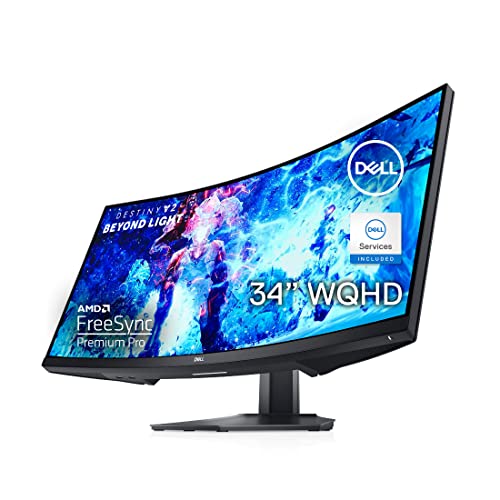
The Dell S3422DWG is another excellent option, offering similar specs to the Xiaomi monitor with some added perks.
Key Features:
- Refresh Rate: 144 Hz
- Resolution: 3440×1440
- Curvature: 1800R (subtle curve)
- Brightness: 400 nits
- Response Time: 2 ms
This monitor shines in bright rooms thanks to its high brightness and anti-reflective coating. However, it lacks local dimming for improved contrast and may experience flickering if FPS drops below 60. At this price point, it’s an incredible value.
GIGABYTE M34WQ gaming monitor
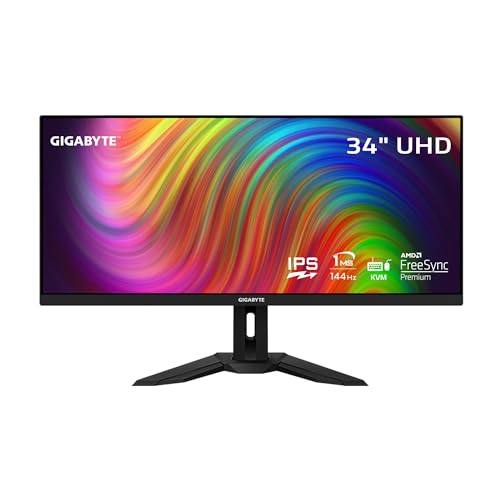
For users seeking a high-performance ultrawide display from Gigabyte, the M34WQ delivers strong specs and versatility at an attractive price point.
Key Features:
- Refresh Rate: 144 Hz for smooth, responsive gameplay
- Resolution: 3440×1440 providing sharp ultrawide clarity
- Panel Type: IPS, but still provides vibrant color accuracy and wide viewing angles
- Response Time: 1ms (MPRT) for reduced motion blur
- Extras: Built-in KVM switch for controlling multiple devices with one keyboard and mouse
For the value, this monitor offers excellent color performance, great motion handling, and a spacious ultrawide workspace. While its IPS panel doesn’t provide the deep contrast of VA alternatives, it compensates with more accurate colors and better viewing angles, making it an ideal balance for most users.
Alienware AW3423DWF

Although slightly above the budget range, the Alienware AW3423DWF is worth mentioning for those seeking next-level performance. It’s a 34-inch QD-OLED monitor with cutting-edge features.
Key Features:
- Refresh Rate: 165 Hz
- Resolution: 3440×1440
- Panel Type: QD-OLED (superior brightness, contrast, and response time)
- HDR: VESA DisplayHDR True Black 400
This monitor offers near-perfect black levels, stunning SDR and HDR performance, and vibrant colors. However, its higher price and risk of burn-in with static images may deter some users.
Note: Product images, details, and descriptions may change as listings update. Information provided is for reference only; please verify current details on the product page.
Our top pick!
We think the ASUS TUF Gaming ultra-wide monitor stands out as the best value-to-performance option, as it delivers exceptional smoothness, strong gaming performance, and an immersive curved ultrawide experience at a fantastic price. It strikes a very good balance between features and affordability, making it an ideal choice for most users.
That said, every monitor on this list serves different needs, whether you prioritize color accuracy, flat versus curved displays, stronger HDR performance, or advanced technologies like QD-OLED panels.
Why choose ultrawide over dual monitors?
So, to answer our previous question earlier, ultrawide monitors are steadily replacing the traditional dual-monitor setup for many users who want both productivity and simplicity. Instead of managing two separate displays, with mismatched colors, bezels breaking up your workspace, and cable clutter, an ultrawide offers a seamless, uninterrupted canvas.
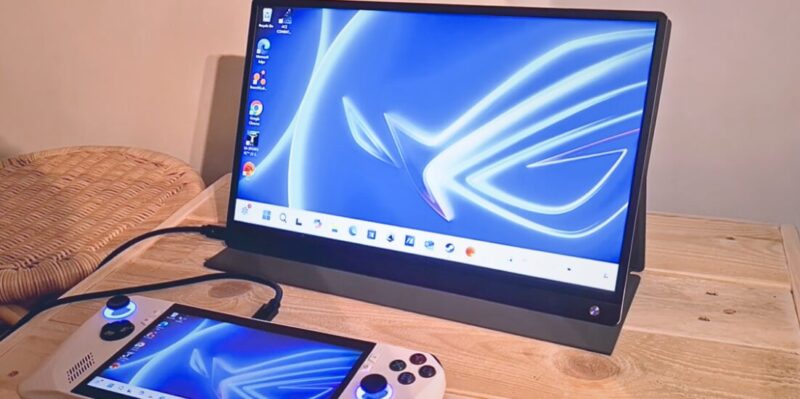
However, if you have a portable monitor, that can be a different story. Portable monitors have their benefits, the big one is that they’re travel friendly. You can easily fit a portable display in your backpack or carry case and take it anywhere. Unlike an untrawide, which you probably won’t want to move around at all. Portable monitors and laptop extenders are great for extending your laptops screen space, or connecting up your steamdeck and any other handheld device, too. You can read more about our list of best portable monitors and laptop screen extenders here.
But for performance, clarity and immersion, they can’t compare to regular monitors and ultrawides. If you’re deciding between two regular monitors or an ultrawide, we think the single-screen approach improves immersion for gaming and creativity while reducing distractions and calibration hassles. It also eliminates the micro-lag and window-snapping quirks that come from dragging apps across multiple displays. With modern ultrawides supporting resolutions like 3440×1440 and above, you can enjoy the same (or more) screen real estate as two monitors, but with a cleaner desk, more accurate color uniformity, and a sleek aesthetic that fits both home and office environments.
But it’s not all perfect, there are some pitfalls
Despite their advantages, ultrawide monitors come with a few caveats worth knowing before you buy. The higher resolutions demand more from your GPU, especially at 144 Hz or higher refresh rates, so budget systems may struggle to maintain smooth performance. It’s important to know your computers specs to see if you can make use of the features within the ultrawide you go for.
Also, some older games and applications still don’t support ultrawide resolutions natively, leading to stretched visuals or black bars. Large curved screens can distort straight lines at the edges, which might bother users working with precise layouts. Desk space is another concern; many ultrawides require deeper or wider surfaces to sit at a comfortable viewing distance. And for the OLED models, potential burn-in and higher price tags remain considerations. Understanding these tradeoffs will help to ensure you get the right monitor for your needs rather than being swayed by specs alone.
Smart Glasses and VR Options
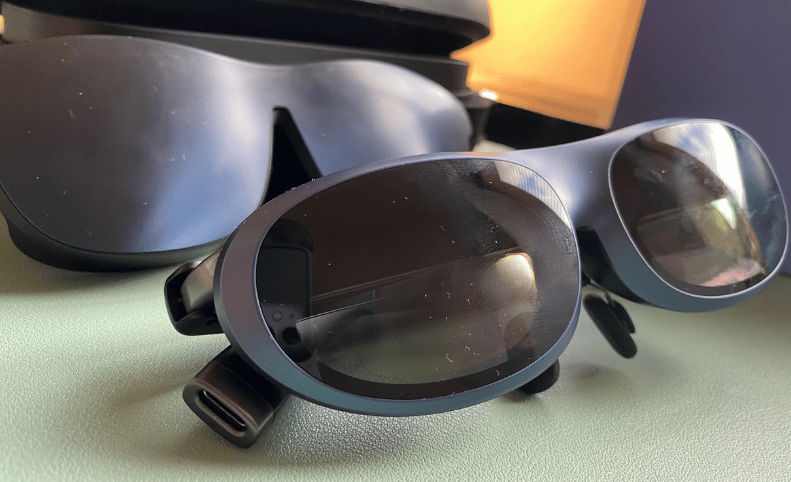
If you’re into AR glasses and VR headsets, they offer some very interesting ways in which you can expand your screens. You could say they’re redefining what “workspace” means. Smart glasses such as the Rokid Max or Xreal Pro project multiple virtual screens into your field of view, mimicking the experience of a giant monitor without physical hardware. When I tried it on the Rokid Max I was really impressed. However, I did notice that it was difficult to type on my laptop while viewing the screen. So, there are definitely alot of areas where they need improvement.
Similarly, VR platforms like the Meta Quest 3 create immersive 3D environments where virtual monitors can float around your workspace, customizable in size and distance. We tried using the Immersive App on the Quest 3 and it was very impressive. It takes it steps further than smartglasses currently can, through the features and usability. For example, you can change your setting so as you look around, you could be in a cabin above a snowy mountain. The controllers add to usability as well, allowing you to navigate using the pointer.
But these devices are though not replacements for ultrawides, they can suffer from limited resolution, comfort issues, and compatibility problems. For now, we think ultrawide monitors remain the most practical bridge between immersive visuals and day-to-day productivity for your PC.
Thanks for reading! Oh and if looking for a gaming laptop? Try our Laptop Finder Quiz and be matched with instant recommendations.
We hope this article for best ultrawide monitors helped you find the right one. Check out our other related articles on the links below.

As one of the site’s writers, A. Moody covers laptops, home tech, and connected devices. His reviews and guides focus on real-world performance and practical insights to help readers make informed tech choices.
Last update on 2026-04-08 / Affiliate links / Images from Amazon Product Advertising API