📢 Disclosure: Some links on this page are affiliate links. As an Amazon Associate, I earn from qualifying purchases at no extra cost to you. Thanks for your support.
- Best headstrap: BOBOVR M3 Pro Battery Pack Head Strap "The ultimate comfort upgrade for the Meta Quest 3, featuring a unique magnetic battery system that adds around an hour of playtime while shifting pressure away from your face."
- Best controller covers: AMVR Upgraded Controller Grips for Quest 3 "A highly functional and affordable upgrade that replaces your battery doors with a secure 'knuckle' strap system. Not only are these good for keeping the controllers in your hands when playing active fitness games, they also help protect the outer casing from marks and scuffs. Playing tennis, boxing games and other sports feels more natural with these covers."
- Rechargable batteries: EBL 16-Pack Rechargeable AA/AAA Battery Bundle "This is the brand I use for my Quest 3 setup. It provides plenty of high-capacity batteries so you always have a fresh pair ready to swap into your controllers."
How to impove your Meta Quest 3
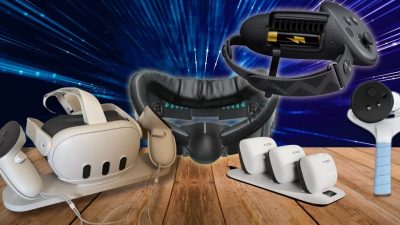
The Meta Quest 3 is already an impressive piece of tech, creating incredible VR experiences straight out of the box. But if you’re looking to make VR gaming more immersive, comfortable, and convenient, the right accessories can elevate your experience even further.
I’ve been using my Quest 3 for almost 2 years now, and from what I’ve found, the aftermarket VR accessories can be really practical. From better headstraps to controller grips, charging stations, and immersive add-ons, here are some of the best Meta Quest 3 accessories to consider for your VR headset. Just before we jump into our list, you can read our in-depth overview of the Meta Quest 3 here.
Upgraded headstraps: A game-changer for comfort

- • 5200mAh magnetic battery
- • Suspended pressure-free design
- • Multi-point adjustment hinges
Suppose you’ve spent time in an intense VR session, then you’ll know how important comfort and stability is. The default headstrap on the Meta Quest 3 is functional, but it’s not the most comfortable, especially during longer play sessions or active games. So here are some better headstrap options:
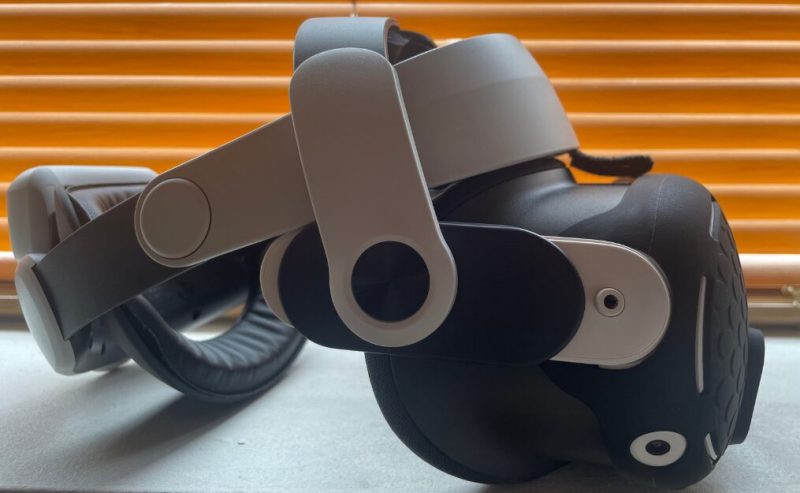
- Bobo VR M3 is a highly praised headstrap that features a suspended design, multi-point adjustments, and a hot-swappable battery pack system. Each 5200mAh battery adds around an hour of extra gameplay. I use this headstrap myself, and it makes a difference especially when playing sport and fitness games. It’s super comfortable and evens out the pressure. But it can still be heavy and bulky, especially with the battery pack added. I usually leave it without.
- DES-TEK Q-H3 Pressure-Free Head Strap: This is a budget-friendly headstrap that balances weight at three angles for added comfort. While it lacks a battery pack, it provides good support and is cheaper than other premium options.
- Meta Quest Elite Strap: The official upgrade from Meta. Provides better weight distribution and comfort, but the price is high compared to third-party options. Some cheaper versions of the Elite Strap are starting to appear online.
If comfort is a priority, upgrading your headstrap is one of the best decisions you can make. Especially if you’re playing active fitness games, if you want extra battery life, the Bobo VR M3 extra battery support allows your Quest 3 to go a little further. And, if you want a simple comfort upgrade, the DES-TEK Q-H3 is a solid option.
Controller grips: Improve your hold & precision

- • Soft silicone knuckle straps
- • Quick-access battery hatch
- • Anti-slip textured surface
- • 90g lightweight design
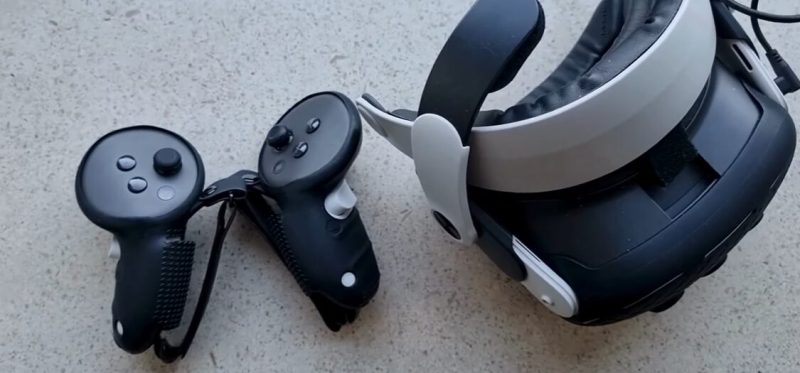
The Meta Quest 3 controllers have great haptics and ergonomic design, but for fast-paced games like Beat Saber, boxing, or tennis, they can feel slippery, and the string doesn’t always keep them secure. So here are some awesome controller grips to help with the fitting:
- AMVR Upgraded Controller Grips. These are the ones I use, and they have served me well for over a year. They provide a comfortable, non-slip texture, don’t block sensors, and make battery swaps easy. They also help reduce hand fatigue for longer gaming sessions. For games like boxing VR, and table tennis, when you are throwing your hands out often, they provide a much more secure fit than the small string the original housing provides. I personally keep the battery covers on because I don’t want moisture to get into the battery housing, this makes for extra bulk as the battery cover sticks out even more.
- KIWI Design Controller Grips: These are a premium alternative that adds hand straps for extra security. Great for games where you need a stronger grip (like tennis or VR sword fighting).
If you’re playing high-action games, a good grip is a must. The AMVR grips are one of the best choices for comfort, durability, and tracking accuracy. Ideally, go for ones that have straps you can put your hands through, that way they won’t fly off as easily.
Want to learn more about the Quest 3? Check out what’s new in our Quest 3 VR update guide.
Rechargeable batteries & charging stations
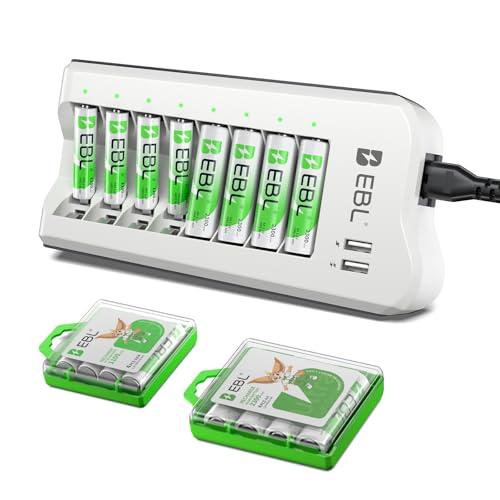
- • 8x 2300mAh AA + 8x 1100mAh AAA
- • 8-Slot smart charger
- • 2 USB-A charging ports
- • Ni-MH technology
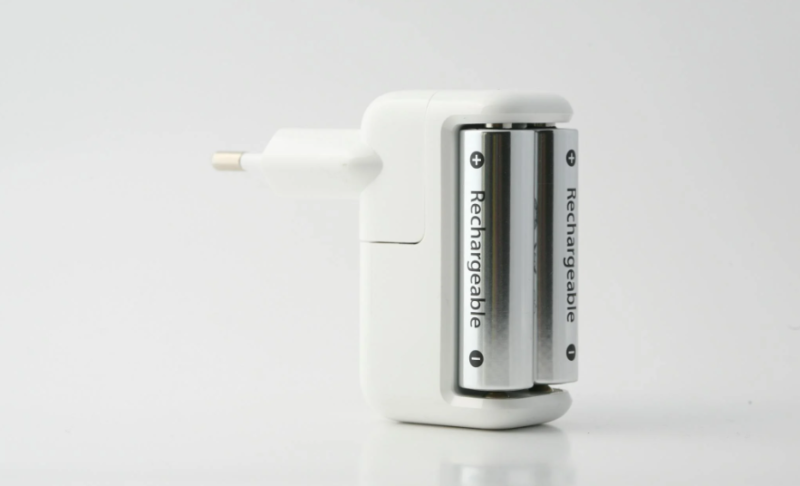
One of the biggest VR hassles is dealing with dead controllers. While the headset is rechargeable, the controllers still use AA batteries, which means constant replacements unless you invest in rechargeable batteries. This actually saved me a lot of batteries, they seemed to be losing charge way to quickly when playing sports so, rechargable controller batteries really help. Here are some great options:
- I personally just use a set of EBL rechargable batteries as mentioned above, and so far they have been great. I found that I was going through AA batteries almost weekly when I first got the Quest 3. Getting rechargeable batteries was a must with these controllers, as they seem to run out way too quickly.
- Alongside EBL, you can go for the Anker & Panasonic rechargeable battery packs too: These are long-lasting AA rechargeable batteries that do the same thing by saving you money and eliminating the hassle of swapping batteries all the time.
- AMVR Charging Dock: Can charge both the headset and controllers simultaneously. This is a good, organized solution that saves you from having to charge your equipment separately.
- Similarly, the gold standard would be the Meta Quest Official Charging Dock. It’s an easy-to-use dock that lets you simply place your headset and controllers down for charging. However, the high price tag can make it a tough buy.
If you don’t want to deal with dead controllers, just getting rechargeable batteries is a huge step forward. But if you want an all-in-one headset charging station, consider an AMVR or Meta charging dock for a more organized approach.
Immersion-boosting accessories (Bats, paddles & more!)
VR accessories like paddles, bats, guns, and sports equipment add-ons can really take immersion to the next level. Let’s check out some awesome options below:
- ProTubeVR & Mamut Gun Stock Attachments: A great option for VR shooting games like Pavlov VR or Contractors VR. These add-ons make aiming and shooting feel more natural.
- AMVR Sports Accessories: These include golf clubs, tennis rackets, paddles, and boxing gloves. Perfect for sports simulation games like Eleven Table Tennis, Golf+, and The Thrill of the Fight.
If you want a more immersive VR experience for sports and action games, these physical add-ons can add a lot of fun. Sports and FPS players will benefit the most from these VR accessories. But if you’re just a casual VR player, you might find that the controllers provide enough realism.
Optimizing your play space: room-scale setup
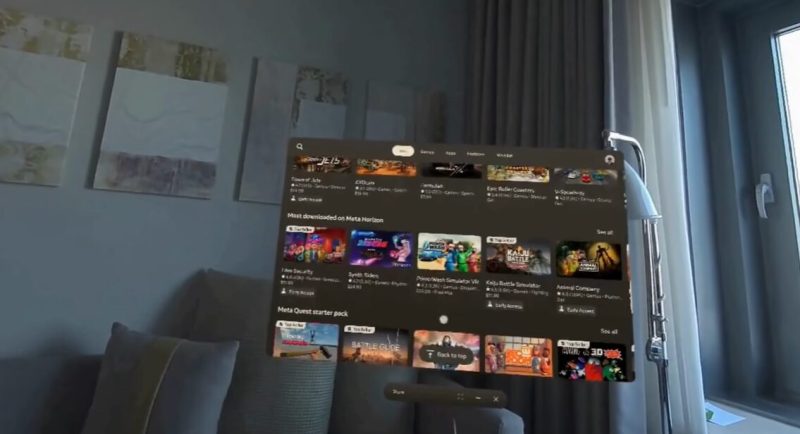
This next pick isn’t an accessory, but it’s equally as important to making the most out of your VR headset. And that’s having enough space to move freely. The Quest 3’s room-scaling ability is actually quite good, but you do need enough space to make the most of it, especially when playing sports VR games. So here are some ways you can maximise your space:
- The guardian boundary markers help define your play area to prevent accidents. It’s important to set these properly, and when you enter a new room or move furniture around, make sure to redo the settings for the accurate room scale.
- Going a step further would be to add padding to your room. Although inconvenient, floor mats add a soft cushion to reduce impact in case of falls, and they are pretty cheap to get.
The main thing is to make sure you have enough space to play the game and move freely around your room. Simply moving items out of the way before putting the headset on can help prevent accidents. But it’s always important to be mindful of your surrounding area. Also, make sure to set up proper boundary markers for an accurate room scale, and consider floor/surface mats for extra safety. Learn more about room scale and setting up boundary markers on the Meta Quest website.
Upgrading your face pad for comfort & hygiene
The default face pad on the Quest 3 is not great for moisture, and it can become uncomfortable during long play sessions. You also have a central space where you can see the floor, which is good for room awareness, but it can also be distracting. If you’re using it away from hazards and want full immersion, you can get face pads to cover that, too. So here are some great options:
- AMVR Fitness Face Pad. This face padding for the Quest 3 uses PU leather that fits nicely over the front cushion. It makes for easier cleaning and helps reduce moisture buildup, especially in more active sport games.
- KIWI Design Ventilated Face Cover: This one has better air circulation and more cushioning for extended wear, but the preference depends on the individual.
If you play active VR games and find the default face cover to be uncomfortable, upgrading your face pad is a smart move. It adds comfort and keeps your headset cleaner.
Overall: Which accessories should you get?
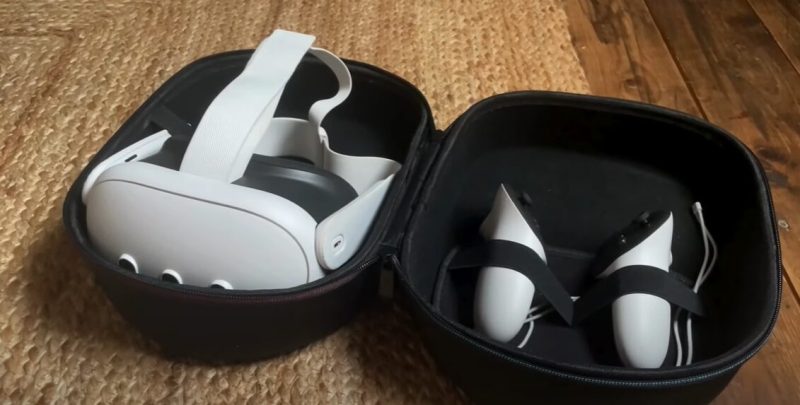
Let’s take a look at our top Meta Quest 3 accessories we’ve reviewed in this article so far:
- Upgrade Your Headstrap: If comfort is a concern, the Bobo VR M3 (best all-around) and DES-TEK Q-H3 (budget choice), are both good options.
- Get Controller Grips: To improve handling and reduce slips, AMVR or KIWI grips are excellent.
- Rechargeable Batteries & Charging Dock: Save money on AA batteries and consider a charging dock for convenience.
- Boost Immersion with Sports & Gun Accessories: If you play shooters or sports games, getting gun stock attachments or VR paddles adds to the immersion.
- Improve Your Play Space: Use boundary markers and floor mats for safer movement.
- Upgrade Your Face Pad: A PU leather face pad is a step up for better comfort and hygiene.
And, if you’re considering other VR options or waiting for the next model, check out our list of Top VR headsets.
Which accessories are your favorite? Let us know!
That wraps up our list of the best Meta Quest 3 accessories! Whether you’re looking for comfort, better performance, or deeper immersion, these accessories can be a game-changer and give you a much better VR experience. The best thing is, most of these upgrades are very affordable and have loads of variations to suit different preferences. We’ve included some of our favorite Quest 3 accessores in this article, let us know which ones are your favorite picks over on our YouTube channel.
We hope this article review of the best Meta Quest 3 accessories helped you find the right ones. Oh, and by the way! Looking for a new laptop instead? Try our Laptop Finder Quiz and be matched with instant recommendations. Otherwise, check out our related articles on the links below:

Combining a BSc in Computing and Business with a passion for digital productivity, Eamon A. has spent the last three years reviewing the latest tech innovations. From high-performance laptops to essential home office accessories, his in-depth comparisons focus on design and functionality, ensuring readers find the perfect tools for their setup.
Last update on 2026-06-13 / Affiliate links / Images from Amazon Product Advertising API